How to Choose a WMS: A Mid-Market Buying Guide
Choosing a WMS starts with your operational complexity, not a vendor feature list. Map must-have workflows, score shortlisted systems on fit and total cost, then validate with a live demo that uses your data before you sign.
Choosing a warehouse management system (WMS) for a mid-market operation means matching the platform to your real complexity, integrations, and three-year total cost, not buying the longest feature checklist. Start with your workflows and pain points, shortlist three to five systems in your size band, then validate fit with a demo that runs on your data before you sign anything.
How to choose a WMS: define must-have warehouse workflows, score vendors on operational fit and total cost of ownership, then prove the winner with a live demo and reference checks from similar mid-market sites.
If you still need a plain definition of the software itself, start with what a warehouse management system is and what a WMS actually does day to day. This guide assumes you already know you need one and focuses on how to pick the right one.
Why mid-market WMS selection is different
Enterprise buyers can absorb a twelve-month implementation and a six-figure services bill. Early-stage brands can often get by with inventory tools bolted onto Shopify. Mid-market warehouses sit in the uncomfortable middle: enough volume and SKU complexity that spreadsheets and channel tools break, but not enough spare capital or IT staff to survive a bloated ERP-led WMS project.
That is why "how to choose a WMS" for this segment is less about Magic Quadrant leaders and more about operational fit. Gartner has argued that through 2027, systems and technical architecture will matter as much as raw functionality for new WMS buyers who care about flexibility, usability, and affordability. In practice, that means your shortlist should include platforms that configure cleanly for your workflows without a custom-code factory.
A second reality check comes from warehouse resilience research. Gartner has reported that 63% of warehouses are in a fragile state, with only about 8% fully resilient. Fragile operations feel every bad software choice as stockouts, overtime, and missed service levels. The WMS you choose sets the ceiling for how accurate and recoverable your floor can be.
What should you define before you talk to vendors?
Do not open demos until you can answer these questions in writing. Vendors will happily fill the silence with feature tours. Your job is to keep the conversation anchored to your warehouse.
Map your current pain, not a wish list
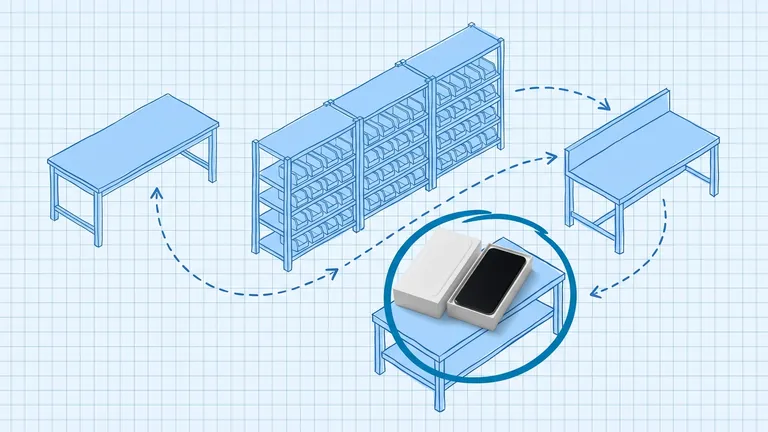
Walk receiving, put-away, picking, packing, shipping, cycle counting, and returns. Note where people invent workarounds: shared Google Sheets, radio calls, "tribal knowledge" bin locations, end-of-day inventory reconciliations. Those workarounds are your requirements in disguise.
Translate each pain into a measurable outcome. Examples that hold up in an executive review:
- Inventory accuracy from 92% to 99% within six months
- Dock-to-stock cut by one day
- Same-day pick completion rate above 95% during peak
- Multi-channel oversells reduced to near zero
If you cannot measure it, you cannot score a vendor against it.
Separate must-haves from nice-to-haves
Build two lists. Must-haves kill a vendor if missing. Nice-to-haves break ties.
Common mid-market must-haves:
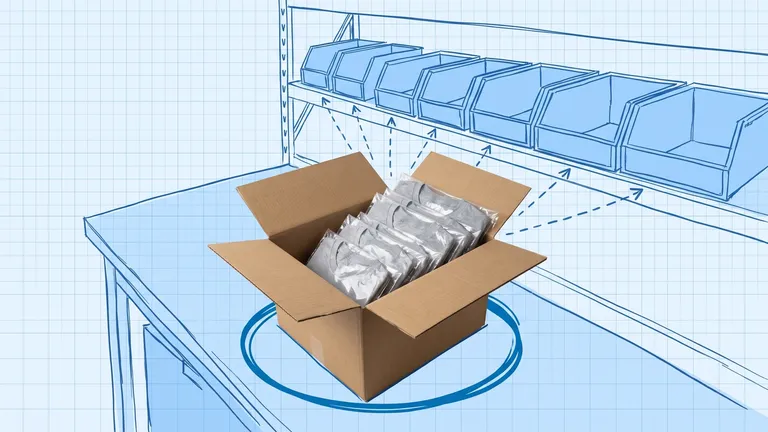
- Real-time inventory by location, not just by SKU
- Barcode-driven receiving, picking, and cycle counts
- Native or proven connectors for your sales channels and ERP or accounting stack
- Mobile workflows that floor staff can learn in a shift, not a week
- Multi-location inventory if you already run more than one site, or expect to within 18 months
- Clear lot, batch, serial, or expiry support if your product needs it
Nice-to-haves might include advanced labor standards, robotics connectors, or 3PL billing. Keep them off the critical path unless they are already on the 12-month roadmap.
Know your complexity band
Gartner segments warehouse environments by complexity, from simpler single-channel sites through highly dynamic, automation-heavy operations. A Level 2 ecommerce warehouse and a Level 4 multi-site network do not need the same system. If a vendor primarily sells to global DCs with AS/RS, you will pay for complexity you never use and wait longer for support. If a vendor is built for single-channel retail stockrooms, you will outgrow it the first time you add wholesale or a second node.
Write one paragraph that describes your complexity: order profiles, SKU count, channels, sites, value-added services, and any automation already on the floor. Hand that paragraph to every vendor before the first call.
Which WMS capabilities matter most for mid-market teams?
Feature grids all look the same. Focus on the capabilities that change daily outcomes.
Inventory control and location discipline
You need directed put-away, location-level quantities, and cycle counting that does not require a full shutdown. If inventory accuracy is your primary pain, prioritize systems that make location moves and counts first-class workflows, not afterthoughts. Softwares like BinLogic WMS treat location-level inventory and mobile scans as the default operating model, which is the right baseline for mid-market floors that cannot afford a full physical count every quarter.
Order execution that matches how you ship
Ask how the system builds pick waves or batches, handles partials and backorders, and supports your pack-and-ship process. A WMS that shines at wholesale pallet picks can still struggle with high-SKU ecommerce single-line orders. Bring sample order files from a normal day and a peak day.
Integrations you will actually use
Integrations are where mid-market projects stall. Confirm the path to your ERP or accounting system, your ecommerce platforms, marketplaces, and carriers. Prefer native connectors when they exist for your stack. When they do not, ask for API maturity, webhook support, and who owns the connector when something breaks.
If you are still deciding whether you need a separate order layer, read how WMS and OMS work together. If finance ownership versus floor execution is the open question, WMS vs ERP clarifies the boundary.
Cloud versus on-premise for your team
For most mid-market warehouses, cloud is the practical default: lower upfront spend, faster go-live, and no servers to babysit. On-premise can still win when security policy, customization depth, or existing infrastructure demands it. For a deeper tradeoff view, see cloud WMS vs on-premise.
Reporting your managers will open
Dashboards only help if supervisors use them. Ask to see inventory accuracy, orders late, labor output, and exception queues in the default UI. If every useful metric requires a custom report from professional services, budget for that work up front.
How do you run a fair vendor evaluation?
A clean process protects you from the loudest salesperson.
Build a shortlist of three to five vendors
Use your complexity paragraph and must-have list to cut the market quickly. Include at least one mid-market specialist, one option adjacent to your current stack (for example an ERP module if you already run that ERP), and one stretch candidate only if it still fits your budget band. Avoid stuffing the list with enterprise giants "for completeness" unless your volume and automation roadmap truly justify them.
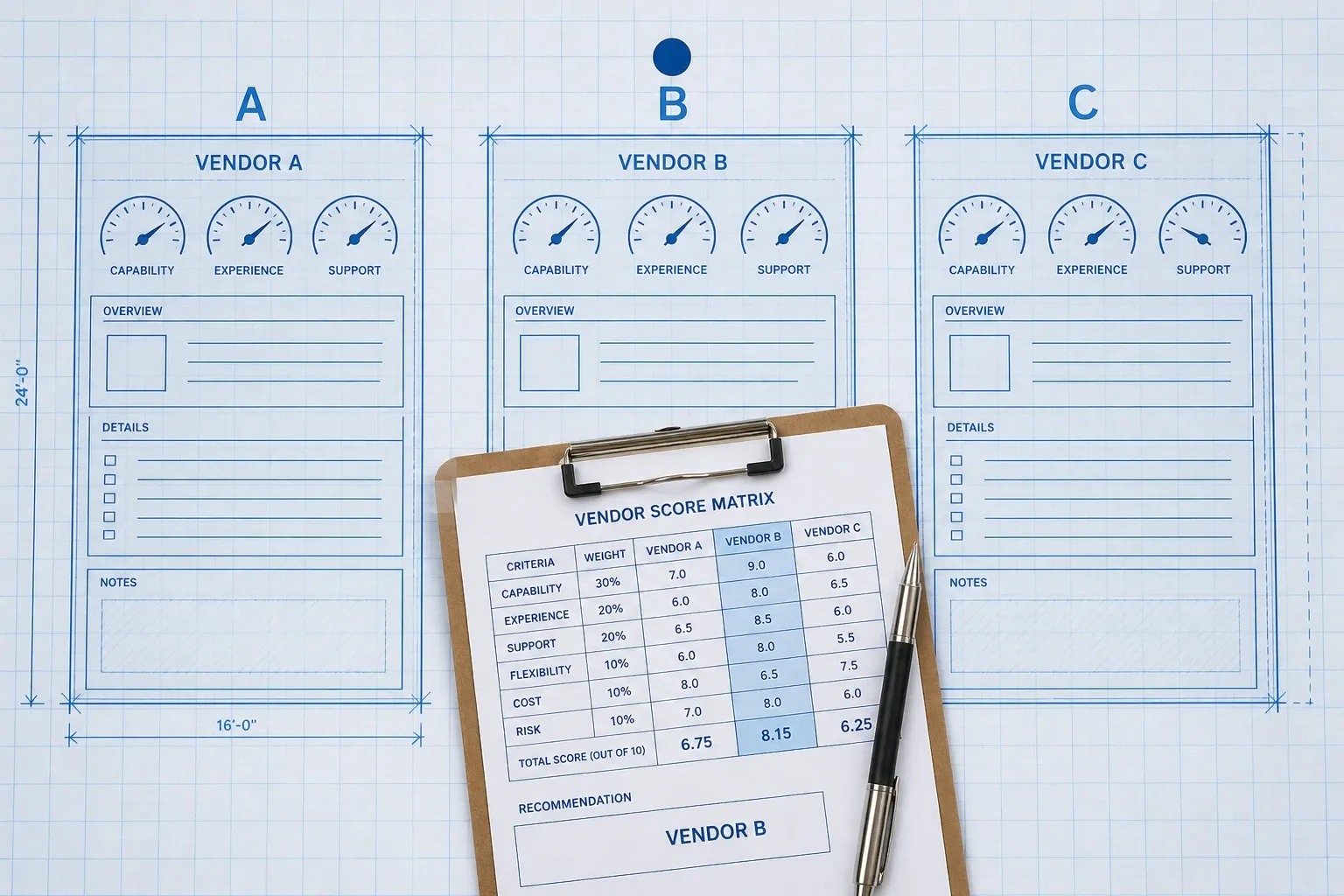
Use a weighted scorecard
Score every vendor on the same grid. Typical mid-market weightings:
- Functional fit to must-have workflows: 25%
- Integration readiness: 20%
- Usability for floor staff and supervisors: 15%
- Implementation approach and timeline: 15%
- Three-year total cost of ownership: 15%
- Vendor support model and references: 10%
Adjust weights to match your risks. A multi-channel brand may push integrations higher. A single-site operation drowning in mis-picks may push functional fit and usability higher.
Demand demos on your data
Refuse the generic happy-path tour. Send a sanitized data pack: SKUs, bins, a receiving PO, a mixed wave of orders, a return, and one ugly exception (damaged stock, short ship, lot mismatch). Sit a picker and a supervisor in the room. If the mobile flow confuses them, note it. Adoption risk is implementation risk.
Check references that look like you
Ask for three references with similar order volume, channel mix, and site count. Ask what broke in week one, how long it took to reach stable inventory accuracy, and how support behaves at peak. Polished case studies are marketing. Peer conversations are diligence.
How should you model WMS cost and ROI?
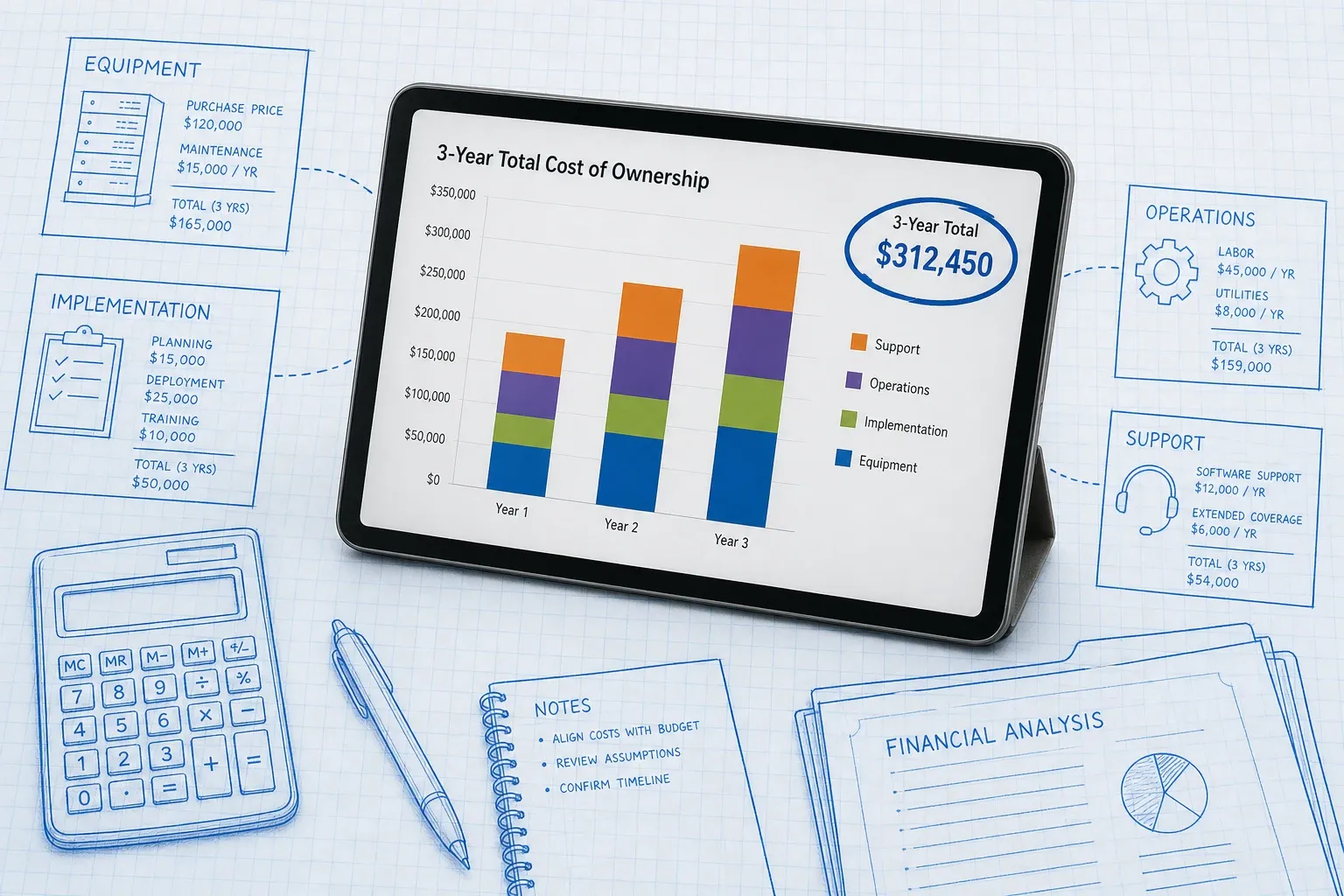
Sticker price is the least useful number in the conversation. According to Gartner, organizations consistently underestimate WMS total cost of ownership by 30 to 50 percent. Build a three-year model before you compare quotes.
Include:
- Subscription or license fees
- Implementation and configuration services
- Data migration and cleanup
- Integration build and ongoing connector fees
- Hardware (scanners, printers, mobile devices)
- Training and change management time for your team
- Support tiers and after-hours coverage
- Fees for additional users, sites, or order volume tiers
Implementation services alone often rival the first year of subscription cost on cloud deals. For pricing ranges and what vendors leave off the quote, use our WMS cost breakdown for 2026.
On the benefit side, quantify labor saved from directed picking, fewer mis-ships, inventory write-down reduction, and freight or overtime avoided during peak. Mid-market cloud WMS projects commonly target payback inside 6 to 18 months when the selection is tied to measurable operational pain. If you cannot show a credible path to that window, revisit either the vendor choice or the scope.
What are the common pitfalls when choosing a WMS?
Avoid these traps. They show up in almost every failed mid-market project.
- Feature shopping. Buying every module "just in case" inflates cost and extends go-live.
- Demo theater. Scoring the presentation instead of your exception workflows.
- Ignoring floor users. Managers love the dashboard. Pickers live in the mobile app. Both have to work.
- Underestimating integrations. ERP and marketplace sync failures will erase inventory accuracy gains.
- Wrong size vendor. Too big and you wait weeks for attention. Too small and you outgrow the roadmap.
- Signing before a pilot. Multi-year contracts without a proof of concept lock in risk.
- No internal owner. A WMS project without a named operations owner stalls after kickoff meetings.
A practical mid-market selection timeline
Use this as a default calendar and compress only where your team has already done the homework.
Weeks 1 to 2: Internal discovery. Document workflows, must-haves, complexity band, and success metrics. Align ops, IT, finance, and ecommerce on the scorecard.
Weeks 3 to 4: Market cut and RFP. Send the same requirements pack to three to five vendors. Ask for architecture notes, integration list, implementation plan, and three-year commercial estimate.
Weeks 5 to 7: Demos and scoring. Run live demos on your data. Score independently, then reconcile as a group. Drop anyone who fails a must-have.
Weeks 8 to 10: Diligence and decision. Reference calls, security review, commercial negotiation, and a written recommendation that a CFO can defend.
Weeks 11 to 12: Kickoff readiness. Name the project owner, freeze scope for phase one, and schedule data cleanup before consultants arrive.
Phased rollouts beat big-bang cutovers for most mid-market sites. Start with core inventory and outbound, then layer returns, multi-site, or advanced labor once the floor trusts the system.
How do you know you are ready to decide?
You are ready when five things are true:
- Must-haves are written and ranked.
- Every shortlisted vendor has been scored on the same matrix.
- At least one demo used your data and included floor staff.
- Three-year TCO is modeled with the same assumptions across vendors.
- References from similar operations support the top pick.
If any of those are missing, you are still shopping. That is fine. Slowing down for two weeks is cheaper than living with the wrong platform for five years.
When you are ready to evaluate a mid-market option built around location-level inventory, mobile workflows, and ecommerce-friendly integrations, look at how BinLogic WMS maps to the must-haves on your scorecard and pressure-test it the same way you would any other shortlist candidate: with your data, your people, and your three-year cost model.
Related reading
- What Is a Warehouse Management System (WMS)? -- definitions and core modules
- Cloud WMS vs On-Premise: Pros and Cons -- deployment tradeoffs
- How Much Does a WMS Cost? A Realistic 2026 Breakdown -- pricing ranges and hidden fees
- Best Inventory Management Software for Mid-Market Brands (2026) -- category landscape for growing brands
Frequently asked questions
How long does it take to choose a WMS?
Most mid-market teams spend six to twelve weeks on a structured selection: two to three weeks defining requirements, two to four weeks running demos and scoring, and two to four weeks on commercial and reference checks. Rushing that process usually costs more after go-live than it saves upfront.
Should mid-market warehouses choose cloud or on-premise WMS?
For most mid-market operations, cloud WMS is the better default. You get lower upfront cost, faster deployment, and automatic updates without running servers yourself. On-premise still makes sense when you have strict hosting rules, heavy custom code, or an IT team that already owns warehouse infrastructure.
What is the biggest mistake when selecting a WMS?
Buying from a polished demo instead of your real workflows. Scripted demos hide exception handling, peak-volume stress, and integration friction. Bring your own order profiles, SKUs, and edge cases into every evaluation, and talk to references that look like your warehouse.
How many WMS vendors should I shortlist?
Shortlist three to five vendors that clearly match your complexity band. Fewer than three leaves you without a real comparison. More than five slows the team down and turns demos into theater. Score them with the same weighted matrix so the final pick is defensible.
What should I ask for in a WMS total cost of ownership model?
Ask for a three-year view that includes subscription or license fees, implementation, data migration, integrations, scanners and printers, training, support SLAs, and volume or site add-on pricing. According to Gartner, buyers often underestimate WMS TCO by 30 to 50 percent when they stop at year-one sticker price.
Run your warehouse without losing a single unit.
Binlogic is the warehouse management system for brands and retailers who run their own fulfillment. Receive, count, pick, pack and ship, with every move scanned. See it in a 30-minute demo.
Get a demo