Cloud WMS vs On-Premise: Pros and Cons
A cloud WMS runs on the vendor's servers and you access it over the internet; an on-premise WMS installs on hardware you own and maintain. Cloud wins on speed, cost predictability, and updates for most mid-market warehouses, while on-premise still fits teams that need deep local control or offline-first infrastructure. Use total cost of ownership, IT capacity, and growth plans to decide, not a feature checklist alone.
A cloud WMS runs on the vendor's infrastructure and you log in over the internet. An on-premise WMS installs on servers you own, inside your building or your data center. Same job on the floor. Completely different ownership model behind the scenes.
Cloud WMS vs on-premise is the choice between vendor-managed hosting with subscription pricing, and self-hosted software with capital hardware and in-house maintenance.
That fork shows up early in every warehouse management system evaluation. Get it wrong and you either overspend on servers you do not need, or you buy a cloud plan that cannot meet a hard compliance rule. Get it right and the rest of the buying process gets simpler.
What is a cloud WMS?
A cloud WMS (sometimes called a SaaS WMS) is software the vendor hosts for you. You access it through a browser or a mobile app. The vendor handles servers, backups, security patches, and version upgrades.
You pay a recurring subscription, usually monthly or annually. Pricing often scales with users, order volume, locations, or modules. You are buying capability and uptime as a service, not a permanent license sitting on a rack.
For most mid-market brands, this is the default path in 2026. According to Gartner's 2025 Magic Quadrant for Warehouse Management Systems (as summarized in industry coverage of the report), cloud has become the preferred WMS deployment option, with more than 80% of new customers preferring cloud when the economics are reasonable.
What is an on-premise WMS?
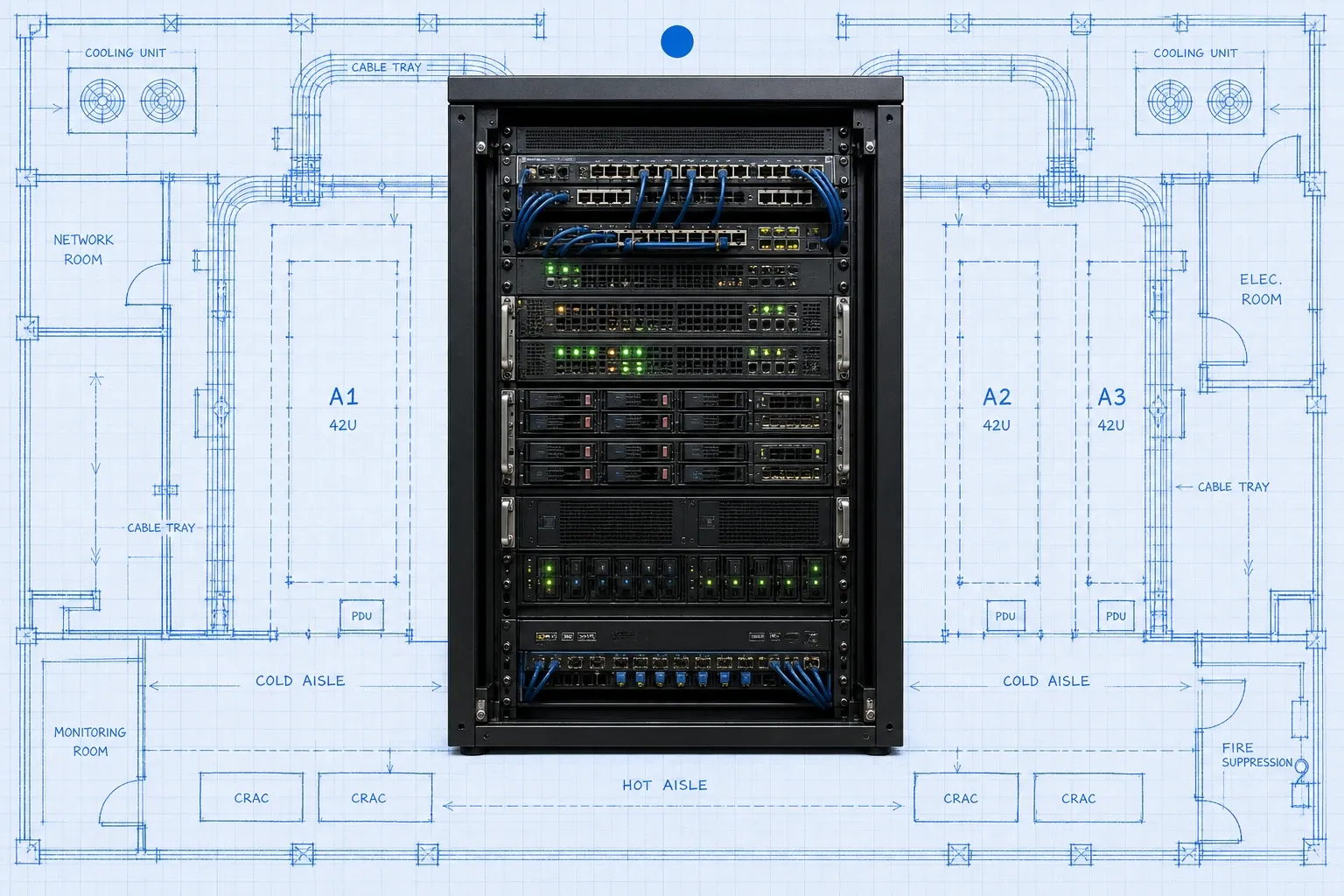
An on-premise WMS is installed on hardware your company owns and operates. Your IT team (or a contracted partner) installs the software, configures the database, applies patches, runs backups, and plans upgrades.
You typically buy perpetual or term licenses plus the servers, storage, networking, and disaster-recovery gear to keep the system alive. Upgrades are projects. Downtime windows are yours to schedule. Customization can go deep because you control the environment.
That model still makes sense for some enterprises: regulated environments that require local data residency you control end to end, sites with unreliable connectivity, or operations that already run a mature private data center and want the WMS next to other systems.
How do cloud and on-premise WMS compare side by side?
Factor | Cloud WMS | On-premise WMS |
|---|---|---|
Upfront cost | Lower; subscription model | Higher; licenses, servers, install |
Go-live speed | Weeks for many mid-market stacks | Often months; hardware + IT work |
Maintenance | Vendor-managed updates | Your IT team or consultants |
Scalability | Add users/sites without new servers | Hardware and license upgrades |
Customization | Config and APIs; limited core edits | Deep code changes possible |
Access | Anywhere with permissions | Local network or VPN |
Data control | Vendor hosts; you own the data | Full local infrastructure control |
Neither column is "better" in the abstract. Match the row that matters most to your constraints.
What are the pros and cons of a cloud WMS?
Pros of cloud WMS
Faster time to value. You skip buying and racking servers before configuration starts. Many mid-market implementations go live in weeks once data and integrations are ready, instead of waiting on hardware lead times.
Predictable operating expense. Subscriptions turn a large capital spike into an operating budget line. That helps finance teams compare options without a CapEx fight every refresh cycle. For a deeper look at how vendors price these plans, see our WMS cost breakdown for 2026.
Always-current software. Security patches and feature releases land on the vendor's cadence. You benefit when another customer finds a bug, because the fix ships to the shared platform.
Easier multi-site and remote access. Managers, 3PLs, and satellite warehouses can work from one system without VPN gymnastics. That matters when you open a second site or hire remote ops leads.
Lower IT burden. Your team focuses on workflows, integrations, and training instead of database patches and server capacity planning.
Cons of cloud WMS
Ongoing subscription cost. Over a long horizon, cumulative fees can exceed what a large enterprise would have paid for owned licenses. Model five to ten years, not just year one.
Internet dependency. Live inventory and order sync need connectivity. Backup links reduce the risk, but pure offline operation is limited compared with a local server.
Less control over release timing. Some vendors let you delay features; others push on a fixed cadence. Confirm how much say you have before you sign.
Customization ceilings. You configure and extend through APIs and no-code tools. You rarely rewrite core code. If your process only works with heavy custom modules, validate that early.
Vendor lock-in risk. Export rights, contract length, and migration support matter. Ask for a written data export plan before go-live.
What are the pros and cons of an on-premise WMS?
Pros of on-premise WMS
Full infrastructure control. You decide where data lives, who can touch the servers, and how backups run. That appeals to teams with strict internal security policies.
Deep customization. Code-level changes and tightly coupled integrations with legacy MES, AS/RS, or older ERPs are easier when you own the stack.
Offline resilience. Floor operations can continue on the local network even if the wider internet is down, as long as your LAN is healthy.
Potential long-run economics at huge scale. Very large warehouses that already staff data centers and amortize hardware across many systems may prefer CapEx ownership over perpetual SaaS.
Cons of on-premise WMS
High upfront cost. Servers, licenses, professional services, and contingency hardware hit before you ship a single order through the new system.
You own the upgrade treadmill. Security patches, version upgrades, and disaster recovery drills compete with other IT priorities. Delayed patches create real risk.
Slower scale-out. A new warehouse or peak-season surge can mean more hardware, more licenses, and another project.
Harder remote collaboration. Outside access usually means VPN, remote desktop, or a separate DMZ. That friction shows up every time a partner or remote manager needs inventory truth.
Innovation lag. Cloud vendors ship AI labor tools, new connectors, and UX improvements continuously. On-premise customers often wait for the next major upgrade project.
Industry research keeps reinforcing the shift. Coverage of Gartner's 2026 Magic Quadrant for Warehouse Management Systems notes that more than 85% of new WMS deals are now cloud, and that long-term cloud pricing for large, complex environments can still confuse buyers. The market direction is clear; the homework on total cost still belongs to you.
How should you decide between cloud and on-premise?
Walk through these five questions with ops, IT, and finance in the same room.
1. What is your real IT capacity?
If you do not have people who can patch databases, monitor uptime, and run DR tests, on-premise will quietly fail. Cloud does not remove all IT work, but it removes the heaviest layer.
2. How fast do you need to go live?
Opening a new channel, fixing overselling, or replacing spreadsheets usually favors cloud. Hardware procurement alone can burn a quarter.
3. How much will you grow in three years?
Multiple warehouses, seasonal peaks, and channel expansion are easier when capacity is a configuration change, not a capital request. Cloud WMS shines here for brands already juggling multi-channel inventory.
4. Do you have a hard compliance or connectivity constraint?
Some regulated environments still require local hosting or air-gapped networks. Some rural facilities still fight intermittent internet. Those are legitimate on-premise (or private-cloud) triggers. "We feel safer with servers we can see" is not, by itself, a strategy.
5. What does three to five years of TCO look like?
Add software, implementation, integrations, hardware (if any), training, and the fully loaded cost of the people who keep the system alive. Nucleus Research's ROI case work on modern WMS deployments shows that value often shows up as labor productivity and avoided headcount, not just cheaper licenses. Price the outcome, not only the sticker.
What about private cloud and hybrid options?
The market is not a clean binary anymore.
Dedicated (single-tenant) cloud gives you a private instance on vendor-managed infrastructure. You get cloud ops without sharing an application stack with other customers.
Hybrid keeps some workloads local (for example, RF device traffic or a site buffer) while the system of record lives in the cloud.
ERP-hosted WMS modules blur the line further: the module may be "cloud" because the ERP is SaaS, even if warehouse depth is thinner than a specialist WMS.
Ask vendors to name the model in plain language: multi-tenant SaaS, single-tenant cloud, or customer-managed on-premise. Then ask who applies security patches, how often releases ship, and what happens to your data if you leave.
How does BinLogic fit this decision?
BinLogic WMS is built as a cloud warehouse system for mid-market brands that need real-time inventory, barcode-driven floor workflows, and channel-ready stock without running a private data center. If your team is done babysitting servers and spreadsheets, that is the deployment model we designed for.
You still need clean item masters, clear bin locations, and a cutover plan. Cloud does not skip process work. It removes the server project so you can spend the project hours on the floor process that actually moves orders.
When is on-premise still the right call?
Choose on-premise (or a tightly controlled private cloud) when most of these are true:
- You already operate a secure data center with staffed DBAs and 24/7 monitoring.
- Connectivity at the site is unreliable and offline-first execution is non-negotiable.
- A regulator or customer contract forces local hosting you cannot meet with region-locked SaaS.
- You need deep source-level customization that no vendor will support in multi-tenant SaaS.
If only one of those is true, pressure-test it. Many "we need on-premise" requirements turn into "we need SOC 2, encryption, and a data processing agreement" once legal and IT dig in.
A practical decision checklist
Before you shortlist vendors, write answers to these:
- Preferred deployment model: multi-tenant cloud, single-tenant cloud, or on-premise.
- Target go-live window and blackout dates.
- Number of warehouses, users, and peak daily orders in year one and year three.
- Must-have integrations (ERP, Shopify, Amazon, carriers, accounting).
- Security requirements (SOC 2, GDPR, data residency, SSO).
- Who owns upgrades and who owns floor training.
- Exit clause: how you export inventory history, orders, and configs.
Bring that one-pager into every demo. It keeps the conversation on fit instead of feature theater.
Bottom line
For most growing warehouses, cloud WMS vs on-premise resolves in favor of cloud: lower upfront cost, faster go-live, vendor-managed updates, and easier scale. On-premise remains valid when control, customization depth, or connectivity constraints dominate.
Start with your constraints, price the full ownership cycle, and pick the model that lets your floor move inventory accurately every day. The deployment choice is infrastructure. The outcome you want is still the same: the right unit in the right bin, ready to ship.
Frequently asked questions
What is the difference between cloud WMS and on-premise WMS?
A cloud WMS (also called SaaS WMS) is hosted by the vendor and accessed through a browser. An on-premise WMS is installed on your own servers, so your team owns hardware, backups, patches, and upgrades. Both can run receiving, picking, packing, and shipping; the difference is where the system lives and who maintains it.
Is cloud WMS more secure than on-premise?
Not automatically. Strong cloud vendors often exceed what a small IT team can maintain, with encryption, monitoring, and frequent patches. On-premise gives you direct control over policies and physical access. Security depends on the vendor's controls and your team's discipline, not the label on the deployment model.
How much does cloud WMS cost compared to on-premise?
Cloud WMS usually starts with lower capital spend and a subscription that bundles hosting and updates. On-premise front-loads licenses, servers, and implementation, then adds ongoing IT and upgrade costs. Model three to five years of total ownership, including staffing, not just the year-one quote.
Will a cloud WMS work if the internet goes down?
Most cloud WMS platforms need connectivity for live inventory and order sync. Many warehouses add a backup internet line or cellular failover for critical hours. If you operate in low-connectivity sites and cannot tolerate any outage, evaluate offline-capable clients carefully or keep on-premise in scope.
Which is better for a growing mid-market brand?
For most mid-market ecommerce and wholesale brands, cloud WMS is the better default because it scales users and sites faster, ships updates without a project, and avoids buying servers. Choose on-premise only when compliance, customization depth, or local infrastructure requirements clearly outweigh that flexibility.
Run your warehouse without losing a single unit.
Binlogic is the warehouse management system for brands and retailers who run their own fulfillment. Receive, count, pick, pack and ship, with every move scanned. See it in a 30-minute demo.
Get a demo