















What Is a Warehouse Management System (WMS)?
A warehouse management system (WMS) is software that controls and optimizes the daily operations inside a warehouse, from the moment goods arrive at the receiving dock to the moment they leave on an outbound truck. It provides real-time inventory visibility, directs workers and equipment through scan-verified workflows, and replaces the spreadsheets and guesswork that slow most growing operations down.
A warehouse management system (WMS) is software that controls and optimizes every operation inside a warehouse, from the moment goods arrive at the receiving dock to the moment they leave on an outbound truck. It tracks every item's exact location in real time, directs workers through scan-verified workflows, and replaces the spreadsheets and guesswork that hold most growing operations back.
A warehouse management system (WMS) is software that gives you real-time, bin-level control over inventory, labor, and every movement inside your facility.
If your team is counting stock by hand to compensate for inaccurate records, re-picking orders because the system shows quantity that isn't there, or losing hours each week to manual data entry, a WMS addresses the root cause rather than the symptoms.
What Does a WMS Actually Do?
A WMS is not a passive database. It actively directs operations in real time. When a truck backs into the receiving dock, the WMS tells your team which purchase orders are expected, where to stage incoming goods, and which bin locations to put items in. When a customer order drops, the WMS calculates the most efficient pick path, assigns the task to the right worker, and validates every scan before inventory moves. Nothing happens by memory or habit. Everything is directed, verified, and recorded.
Receiving and Put-Away
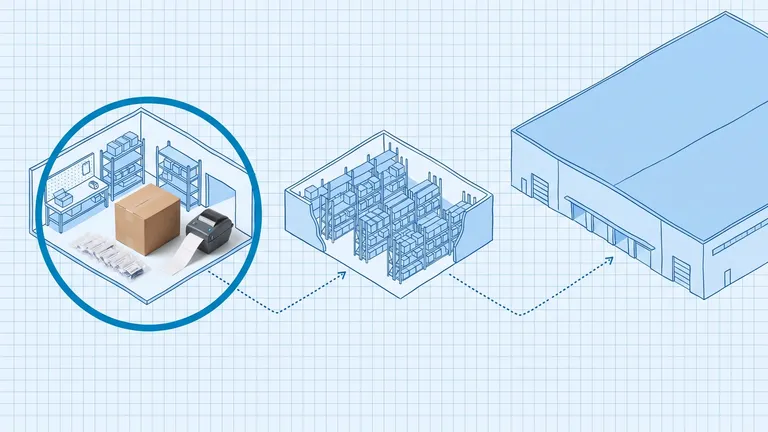
When goods arrive, the WMS matches them against open purchase orders, flags discrepancies immediately, and records the inventory before it ever reaches the shelf. It then assigns put-away locations based on your slotting rules, product velocity, or available space, so fast-moving items land near the pick face and slow movers don't crowd the prime zones.
Order Picking
Picking is where most labor hours go and where most errors happen. A WMS eliminates both problems by routing pickers through the warehouse in the most efficient sequence, providing scan confirmation at each location, and catching quantity errors before the tote leaves the floor. The result is a measurable drop in mispicks without requiring your team to work harder.
Packing, Shipping, and Outbound Control
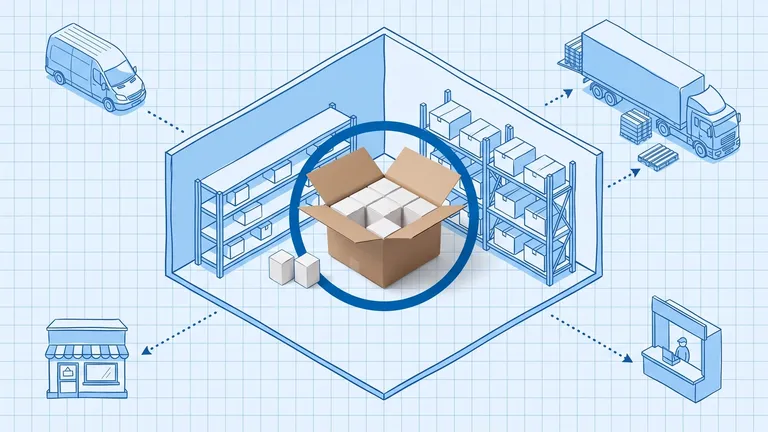
At packing stations, the WMS verifies that the right items are in the right box before the label prints. It integrates with carriers to rate-shop, generate labels, and record tracking numbers against orders. When the truck leaves, your inventory records update automatically. No manual adjustments needed.
Real-Time Inventory Visibility
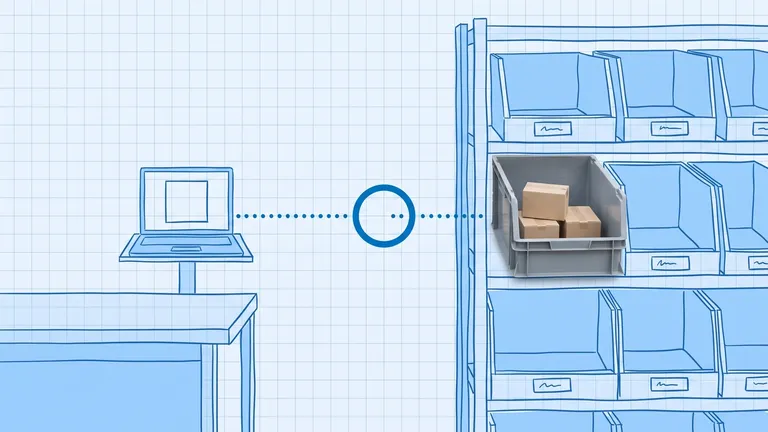
This is the feature teams notice first. Instead of running a physical count to answer "how many of X do we have and where is it?", you query the WMS and get an exact bin-level answer in seconds. That visibility feeds every downstream decision: reordering, promising inventory to sales channels, and allocating stock across locations.

WMS vs Spreadsheets: Why the Gap Matters
Spreadsheets are where almost every growing warehouse starts, and they work fine up to a point. But the gap between spreadsheet-managed inventory and a WMS widens fast as order volume, SKU count, or headcount grows.
According to research cited by G2 and LEAFIO, approximately 67% of supply chain professionals still use spreadsheets as their primary inventory management tool. Meanwhile, the average American retailer operates at only 63% inventory accuracy, a level that translates directly into stockouts, oversells, and costly returns.
A WMS addresses these gaps by design. Academic research referenced by Frazelle (World-Class Warehousing and Material Handling) shows that inventory accuracy improves from an average of 65% in manual environments to over 99.5% with a properly implemented WMS. That shift matters: at 99.5% accuracy across 10,000 SKUs, you have 50 discrepancies to chase down. At 63%, you have 3,700.
The costs of staying on spreadsheets are not abstract. Incorrect shipments generate return freight, re-pick labor, and replacement orders. Over-ordering ties up cash in inventory you don't need. Under-ordering loses you sales you could have fulfilled.
WMS vs ERP vs IMS: What's the Difference?
The terms get used interchangeably, and they shouldn't. Here's how to separate them:
An inventory management system (IMS) tracks quantities: what you have, what you've ordered, what you've sold. It's a ledger. It tells you that you have 42 units of SKU-1001 across all locations. It doesn't tell you they're split across three bin locations, two of which are wrong from a put-away error three weeks ago.
An ERP (enterprise resource planning) system manages your entire business: finance, purchasing, sales, HR, and sometimes a warehouse module. ERP warehouse modules work for simple operations. For high SKU counts, complex picking workflows, or automation integration, they typically lack the depth a dedicated WMS provides.
A WMS is purpose-built for what happens inside four walls. It manages bin locations, directs labor in real time, handles wave planning, manages dock schedules, and integrates with automation hardware. It's not replacing your ERP. For most operations, WMS and ERP run alongside each other, with the WMS handling execution and the ERP handling financials and procurement. See our breakdown of WMS vs OMS vs ERP: how all three work together for more detail on where each system starts and stops.
What Types of WMS Are Available?
There are three main deployment models. The right one depends on your scale, IT resources, and budget:
Cloud WMS (SaaS)
A cloud WMS runs on a vendor's infrastructure. You pay a subscription, access the system through a browser or mobile app, and skip the hardware provisioning. Implementation is faster, typically 6 to 12 weeks for a mid-size operation. Updates happen automatically. This is the model most growing ecommerce and DTC brands choose because it scales without capital investment.
Standalone On-Premise WMS
An on-premise WMS runs on servers you own or manage. It gives you maximum control over data and customization but requires IT infrastructure, a longer implementation, and an internal team to manage upgrades. Historically the choice of large enterprises and 3PLs; less common for new implementations as cloud options have matured.
WMS Module Within an ERP
Some ERP vendors (SAP, Oracle, NetSuite) offer warehouse modules that connect directly to their financial and inventory layers. These reduce integration complexity if you're already deeply on an ERP platform, but they rarely match the operational depth of a best-of-breed standalone WMS.
When Do You Actually Need a WMS?
You don't need a WMS because your operation is "growing." You need one when a specific operational problem becomes expensive enough to justify the investment. Here are the clearest signals:
- Your team does manual stock counts regularly because your system records don't match reality.
- You're shipping incorrect orders more than once a week.
- You have more than 1,000 active SKUs or more than one warehouse location.
- Your picking team spends time hunting for items that the system says are in a location but aren't.
- You're selling on more than two channels and managing inventory allocation by hand.
- Your operation has outgrown spreadsheets but your ERP's warehouse module can't handle multi-bin, directed picking, or real-time scanning.
A useful calculation: add your annual order error cost, your inventory inaccuracy cost (overstocking plus stockouts), and your labor inefficiency cost. Compare that against the cost of a WMS subscription plus implementation. For most operations above 300 to 500 orders per day, the math is straightforward.
The Real Benefits of a WMS
The headline numbers are well established. A WMS typically delivers:
- Inventory accuracy from 65% to 99.5%+. The difference between a manual environment and a scan-directed one is not incremental. It's the difference between managing by exception and managing by crisis.
- 25 to 40% improvement in picking productivity. Optimized pick paths and task interleaving cut travel time, which is often 50% or more of total picking labor.
- 50 to 80% reduction in picking errors. Scan verification at every step catches errors before the tote leaves the floor, not after the customer emails a complaint.
- Labor visibility. A WMS records who did what, how long it took, and how it compared to standard. That data drives better scheduling and surfaces training needs.
According to Gartner, WMS solutions are among the top five supply chain technologies prioritized for investment, with ROI typically achievable within 18 to 24 months for a mid-market operation. The driver isn't feature richness; it's the compounding effect of eliminating the small daily errors that cost real money at scale.
Regular cycle counting becomes far faster with a WMS because you're verifying small sections of your inventory continuously rather than shutting down the floor for a full physical count. That's a secondary benefit that most operations underestimate before implementation.
How to Get Started with a WMS
The first step is not selecting a vendor. It's documenting your current state: how many SKUs you manage, how many orders you ship per day, how many warehouse locations you operate, and what integrations your WMS will need to connect to (ERP, Shopify, Amazon, carriers).
That picture determines the right tier of WMS. A 200-SKU operation shipping 50 orders a day has different requirements than a 5,000-SKU operation across three locations. Match the system to your actual operation, not to the system with the most impressive demo.
Tools like BinLogic WMS are designed specifically for mid-market brands that need the depth of enterprise warehouse management without the enterprise implementation timeline. Real-time bin tracking, directed picking, barcode scanning, and multi-channel inventory sync are available without a six-month deployment project.
Tracking performance post-launch matters as much as the implementation itself. Understanding your warehouse KPIs before go-live gives you a baseline to measure against, so you know exactly where the WMS is delivering and where there's still room to improve.
Frequently Asked Questions
What is a warehouse management system (WMS)? A WMS is software that controls and optimizes every operation inside a warehouse, including receiving, put-away, picking, packing, and shipping. It provides real-time, bin-level inventory visibility and replaces manual tracking with scan-verified workflows.
What is the difference between a WMS and an ERP? An ERP manages company-wide operations including finance, HR, and purchasing. A WMS is specialized software focused on what happens inside your facility. Most businesses run both: the ERP handles the business layer, the WMS handles execution inside the warehouse.
When do I need a WMS? The clearest signals are recurring inventory inaccuracy, picking errors, or stockouts that spreadsheets can't fix. Practical thresholds are roughly 500+ orders per day, 1,000+ active SKUs, or multiple warehouse locations.
What does a WMS do that inventory software doesn't? Inventory software tracks quantities. A WMS actively directs every movement inside your facility, validates each scan before inventory moves, manages labor allocation, and integrates with automation hardware. Inventory software records; a WMS orchestrates.
How long does a WMS implementation take? A cloud WMS for a mid-size operation typically takes 6 to 12 weeks from kick-off to go-live, depending on the number of integrations and the complexity of your picking workflows.
Frequently asked questions
What is a warehouse management system (WMS)?
A warehouse management system is software that controls and optimizes every operation inside a warehouse, including receiving, put-away, picking, packing, and shipping. It gives your team real-time visibility into where every item is, directs workflows through barcode or RFID scanning, and replaces manual spreadsheet tracking with an accurate, live system of record.
What is the difference between a WMS and an ERP?
An ERP (enterprise resource planning) system manages business-wide functions like accounting, purchasing, and HR. A WMS is specialized software focused entirely on what happens inside your warehouse. An ERP may include a basic warehouse module, but it rarely matches the depth of bin-level tracking, directed picking, and labor management that a dedicated WMS provides. Many businesses run both systems together.
When do I need a WMS?
Most operations benefit from a WMS when they hit consistent inventory inaccuracy, late shipments, or picking errors that spreadsheets cannot fix. A practical threshold is roughly 500 or more orders per day, 1,000 or more active SKUs, or multiple warehouse locations. If your team is doing manual cycle counts to compensate for poor visibility, a WMS addresses the root cause.
What does a WMS do that inventory management software does not?
Basic inventory software tracks what you have and where. A WMS goes further: it actively directs every movement inside your facility. It tells pickers which bin to go to and in what order, validates each scan before a tote moves, manages labor allocation in real time, and integrates with automation hardware like conveyors and AS/RS systems. Inventory management software records; a WMS orchestrates.
How long does it take to implement a WMS?
A cloud WMS for a mid-size operation typically takes 6 to 12 weeks from kick-off to go-live. The timeline depends on the number of integrations required (ERP, ecommerce platforms, carriers), the complexity of your picking workflows, and how clean your existing item data is. SaaS deployments are generally faster than on-premise installs because there is no infrastructure to provision.
Plan the route. We deliver the rest.
See how Binlogic powers last-mile logistics — routing, tracking, and the platform that turns the plan into the package on the doorstep.
Book a callback