
















WMS vs ERP: What's the Difference?
A WMS (Warehouse Management System) manages physical warehouse operations including receiving, bin tracking, picking, packing, and shipping. An ERP (Enterprise Resource Planning) manages company-wide business processes such as finance, procurement, HR, and sales. Growing brands typically need both systems integrated, because each does what the other cannot.
A WMS and an ERP are not competing systems. They do fundamentally different jobs, and confusing the two is one of the most expensive mistakes a growing brand can make. A WMS runs your warehouse floor. An ERP runs your whole business. Most mid-market operations need both.
A Warehouse Management System (WMS) is software purpose-built to direct, track, and optimize physical operations inside a warehouse, including receiving, put-away, picking, packing, and shipping. An ERP (Enterprise Resource Planning) system manages company-wide business processes: accounting, finance, procurement, HR, sales orders, and demand planning.
Both handle inventory in some form, but they handle it at very different levels. That difference matters more than most buyers realize.
What Does a WMS Actually Do?
A WMS is the system of record for physical stock. It knows exactly where every pallet, case, and unit lives, down to the bin and shelf location, and it tracks every movement from the moment goods arrive at the dock to when they leave on a truck.
Core WMS functions include:
- Receiving and put-away: scanning inbound goods, assigning storage locations, and directing workers to put each item in the right place
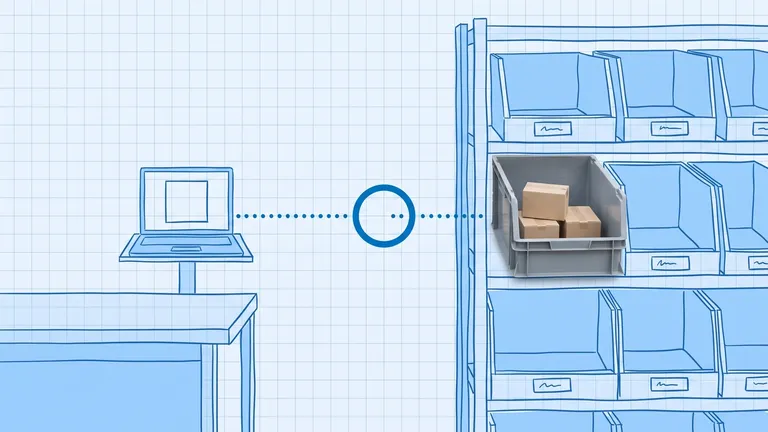
- Location management: bin-level inventory tracking so you know stock is in position A3-B-02, not just "in the warehouse"
- Directed picking: generating pick tasks in the most efficient sequence, reducing travel time and errors
- Wave and batch picking: grouping orders to increase throughput during peak periods
- Pack and ship: checking packed orders against the original order, generating shipping labels, and confirming dispatch
- Cycle counting: directing regular inventory checks by location or product category without shutting down the warehouse
- Returns processing: receiving returned goods, inspecting them, and routing them to the correct location or disposition
A WMS is also the human-interface layer for your warehouse team. Workers follow system-directed tasks on handheld scanners or mobile devices. The system confirms each action with a scan, which is what drives high inventory accuracy.
According to ERPResearch.com, dedicated WMS platforms typically achieve 99.5 to 99.9 percent pick accuracy, compared to 95 to 97 percent for paper-based or ERP-only operations. That 2 to 4 percentage point gap translates directly into fewer returns, fewer write-offs, and fewer customer complaints.
What Does an ERP Actually Do?
An ERP is the system of record for your business data. It connects finance, purchasing, sales, HR, and operations into one platform so every transaction flows through a single data model.
Core ERP functions include:
- Financials: accounts payable, accounts receivable, general ledger, and financial reporting
- Procurement: purchase orders, supplier management, and inbound receipts at the order level
- Sales: customer orders, pricing, invoicing, and revenue recognition
- Inventory planning: reorder points, safety stock levels, and demand forecasting
- HR and payroll: if your ERP covers it
- Reporting and BI: company-wide dashboards that connect warehouse throughput to financial outcomes
An ERP tracks theoretical inventory. When you raise a purchase order, the ERP records an expected receipt. When you ship a sales order, it records a stock deduction. It operates at the order level, not the bin level.
This is the critical distinction: the ERP shows what should be in your warehouse based on transactions. The WMS shows what is actually there based on scans.
The Core Difference: Execution vs Planning
The simplest way to frame it is this: the ERP plans the work, the WMS executes it.
When a customer places an order:
- The ERP receives the sales order and commits the inventory
- The ERP passes the order to the WMS
- The WMS breaks the order into pick tasks, directs workers to the exact locations, and confirms each pick by scan
- The WMS confirms the shipment back to the ERP
- The ERP invoices the customer and adjusts the financial records
Neither system alone handles the full loop cleanly. The ERP does not know which bin location holds the stock. The WMS does not manage invoicing or supplier payments.
According to Keystone Corporation, only about 33 percent of organizations consistently achieve accurate, 360-degree real-time inventory visibility across their supply chain. That is largely because many businesses rely on ERP-only data, which lags behind physical reality.
When Is an ERP's Built-In Warehouse Module Enough?
Many ERPs include a warehouse module. For simpler operations, it is genuinely sufficient. You do not always need a standalone WMS.
An ERP warehouse module is typically enough when:
- You operate from a single location
- You carry fewer than 2,000 active SKUs
- Your order volumes are predictable and not seasonally peaked
- You have no warehouse automation to orchestrate (no conveyors, sorters, or robotics)
- Your picking flows are straightforward: pick, pack, ship, no complex value-add or kitting
- You do not run a 3PL with multi-client billing requirements
In these conditions, the integration simplicity of an ERP-native module, one data model, no external API to maintain, native financial consistency, often outweighs any capability gap.
The honest question is: are warehouse operations the limiting constraint on your growth? If the answer is no, a WMS may be an over-investment right now.

When Do You Need a Dedicated WMS?
Warehouse complexity scales faster than most operators expect. Several thresholds signal that an ERP warehouse module will not keep up:
- SKU count above 2,000. More SKUs mean more locations, more replenishment rules, and more risk of putaway errors. A WMS manages location logic automatically.
- Multi-site operations. When you run more than one distribution center, network-level inventory visibility and consistent process management across sites require a real-time WMS layer.
- Warehouse automation. Conveyors, autonomous mobile robots (AMRs), and goods-to-person systems need a WMS to orchestrate tasks. ERPs do not connect to automation hardware.
- Omnichannel fulfillment. When the same DC handles wholesale replenishment, ecommerce, and retail from a single inventory pool, wave planning and order streaming benefit from WMS-specific logic.
- High throughput and tight SLAs. If you ship thousands of orders per day with same-day or next-day cutoffs, picking efficiency and accuracy are commercially critical. A WMS's directed workflows make a measurable difference.
- Lot, batch, or serial number traceability. Regulated industries and products with expiry dates need granular traceability that most ERP modules handle poorly.
The rule of thumb used by supply chain consultants: if you cross two or three of these thresholds at once, a dedicated WMS is usually the right answer. Crossing one marginally may not justify the investment.
Do Most Businesses Need Both?
Yes, in most mid-market and growing operations, the right answer is an ERP integrated with a WMS, not one or the other.
The ERP remains the financial and operational system of record: it holds your chart of accounts, your customer master, your supplier relationships, and your demand plan. The WMS owns the warehouse floor: it directs labor, tracks physical stock, and drives execution accuracy.
Integration between the two handles the data handoff: customer orders flow from the ERP to the WMS, and shipment confirmations, stock adjustments, and receipt confirmations flow back. When set up correctly, the ERP's theoretical inventory and the WMS's physical inventory stay in sync automatically. When not set up correctly, that is where discrepancies build.
Tools like BinLogic WMS are designed to fit this integration model cleanly, giving growing brands warehouse-floor execution depth without requiring an enterprise-scale ERP implementation to justify the cost.
How Do WMS and ERP Work Together?
The integration between a WMS and ERP handles a handful of core data flows:
- Orders in: sales orders and purchase orders travel from the ERP to the WMS as fulfillment or receiving tasks
- Receipts out: when the WMS completes a put-away, it confirms the receipt back to the ERP, updating on-hand inventory
- Shipments out: when the WMS confirms a dispatch, it triggers the ERP's invoicing and financial deduction
- Inventory adjustments: cycle count variances found in the WMS sync to the ERP so the financial records stay accurate
- Returns in: when the WMS processes a return receipt, the ERP updates the inventory credit and posts any required financial adjustment
Most mid-market WMS platforms connect to popular ERPs via native integrations or API. The quality of this integration often matters more than the individual capabilities of either system.

Which Should You Set Up First?
If you already have an ERP and your warehouse is the bottleneck, add a WMS. The ROI case is straightforward: reduced pick errors mean fewer returns and credits, faster throughput means more orders per shift, and higher inventory accuracy means less safety stock tying up working capital. According to MarketsandMarkets, the global WMS market is projected to grow from USD 4.57 billion in 2025 to USD 10.04 billion by 2030, reflecting how many operations are making exactly this transition.
If you have no ERP and your financial, procurement, and order management processes are chaotic, start there. An ERP with a basic warehouse module is a better first step than a WMS operating in a financial void.
For most founders and ops managers reading this: you probably already have the ERP and you are feeling the warehouse pain. That is the signal.
Bottom Line
The difference between a WMS and an ERP is the difference between running the floor and running the business. Neither replaces the other for a growing operation. They complement each other, and the integration between them is what keeps your physical inventory and your financial records telling the same story.
If you are evaluating where BinLogic fits in your stack, the short version is this: BinLogic is the WMS layer. It handles everything from receiving through shipping, gives your team scan-directed workflows, and connects to your existing ERP so the financial side stays accurate without manual reconciliation.
For a broader look at how WMS, OMS, and ERP fit together across the full order lifecycle, see our guide on WMS vs OMS vs ERP. And if you are still building your understanding of what a WMS does at a foundational level, start with What Is a Warehouse Management System?.
Frequently asked questions
Can an ERP replace a WMS?
Not for complex warehouse operations. An ERP typically includes basic inventory tracking, but it lacks the bin-level location management, directed picking, wave planning, and labor productivity tools a dedicated WMS provides. For simple, single-site operations with fewer than 2,000 SKUs, an ERP module may be enough. For high-volume or multi-site operations, a standalone WMS is usually necessary.
What is the difference between a WMS and inventory management software?
Inventory management software tracks what you have and when to reorder. A WMS goes further: it directs every physical movement inside the warehouse, from where to put a pallet to which pick path reduces travel time. WMS includes location management, scanning workflows, labor tracking, and real-time stock reconciliation at the bin level.
Do I need both a WMS and an ERP?
Most growing mid-market brands benefit from both. The ERP manages your financials, purchase orders, and customer orders. The WMS executes the physical side, receiving goods, directing picks, and confirming shipments. When integrated, the two systems keep theoretical inventory (ERP) and real inventory (WMS) in sync automatically.
Which should I implement first, a WMS or an ERP?
It depends on your biggest pain point. If your warehouse has frequent picking errors, lost stock, or slow fulfillment, a WMS gives more immediate operational value. If financial visibility and procurement are your bottleneck, start with an ERP. Most mid-market brands already have an ERP and add a WMS when warehouse operations become the limiting constraint.
What happens when a WMS and ERP go out of sync?
This is the most common integration headache. The ERP holds theoretical inventory based on orders and receipts, while the WMS holds the physical count. If integration breaks or data is entered manually in both systems, you get discrepancies: the ERP shows stock you no longer have, or the WMS shows stock the ERP has already committed to an order. A real-time, two-way integration prevents this by syncing every goods receipt, shipment, and adjustment automatically.
Plan the route. We deliver the rest.
See how Binlogic powers last-mile logistics — routing, tracking, and the platform that turns the plan into the package on the doorstep.
Book a callback