WMS vs OMS: How They Work Together
A WMS runs physical warehouse work inside your four walls. An OMS captures orders across channels and decides which location should fulfill them. They are not rivals. The OMS owns orchestration across your network, the WMS owns execution at each node, and the handoff between them is what keeps promises honest.
A warehouse management system (WMS) runs the physical work inside your four walls. An order management system (OMS) captures orders across channels and decides which location should fulfill them. They are not competing products. WMS vs OMS is really a layering question: the OMS owns orchestration across your network, and the WMS owns execution at each node.
If you treat them as interchangeable, you get broken promises, manual fire drills, and inventory that looks fine in one system while the floor tells a different story. If you connect them cleanly, each system does the job it was built for.
What does a WMS actually own?
A WMS is the operating system of a single warehouse (or a tightly managed set of warehouses). Its job is physical truth: where every unit sits, how it moves, and how work gets done on the floor.
Typical WMS responsibilities include:
- Receiving and put-away against purchase orders
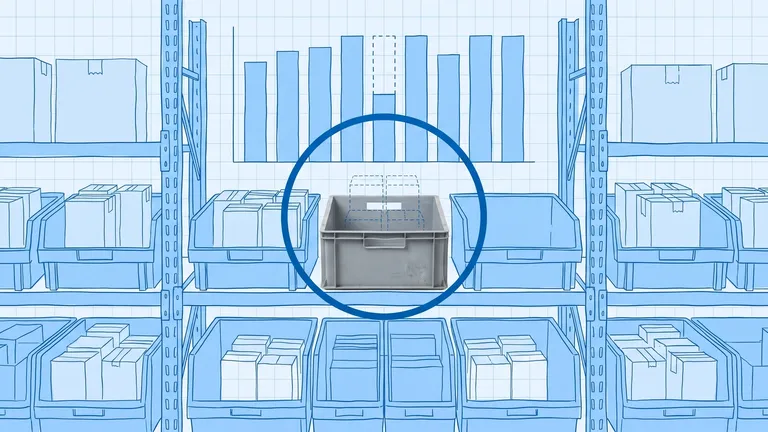
- Bin, aisle, and zone inventory at location level
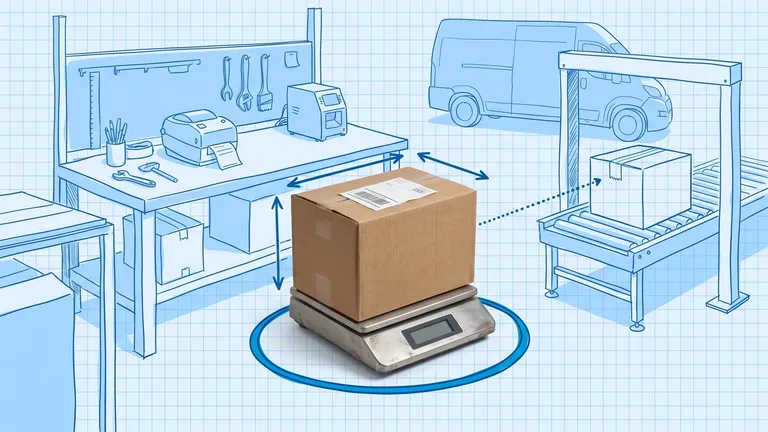
- Directed picking, packing, and shipping workflows
- Cycle counts, adjustments, and returns inspection
- Labor tasking and wave or batch release inside the building
What a WMS generally does not own: which sales channel created the order, which city should get the fastest promise, or how to split one customer order across a DC, a store, and a dropship vendor. That network logic belongs upstream.
What does an OMS actually own?
An OMS is the commercial brain sitting above your fulfillment nodes. It answers questions the warehouse alone cannot:
- Which channels placed which orders?
- What inventory is available across the whole network right now?
- Which node should fulfill this order (or part of it)?
- What delivery promise can we make without lying?
- How do exceptions, cancellations, and customer communications flow?
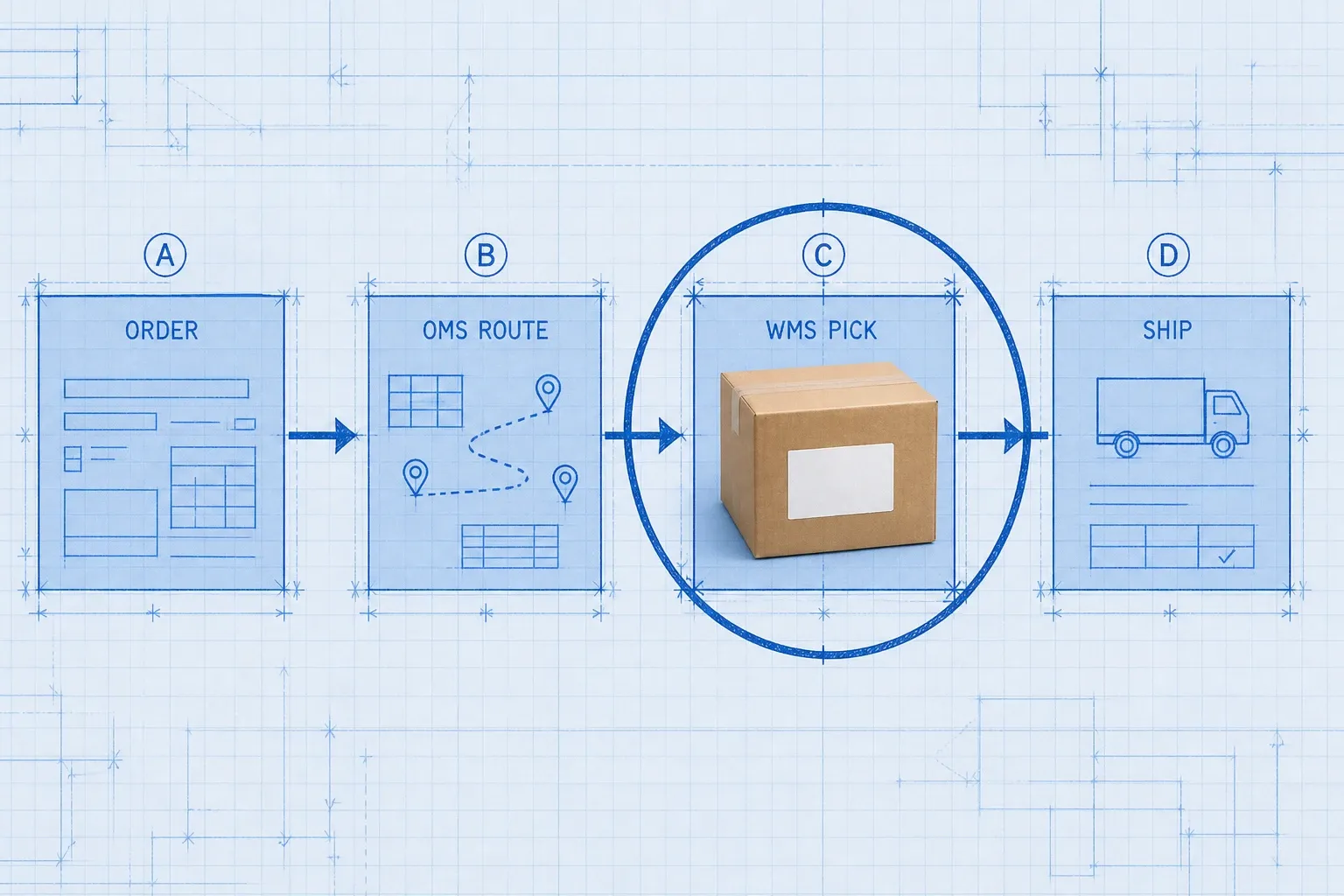
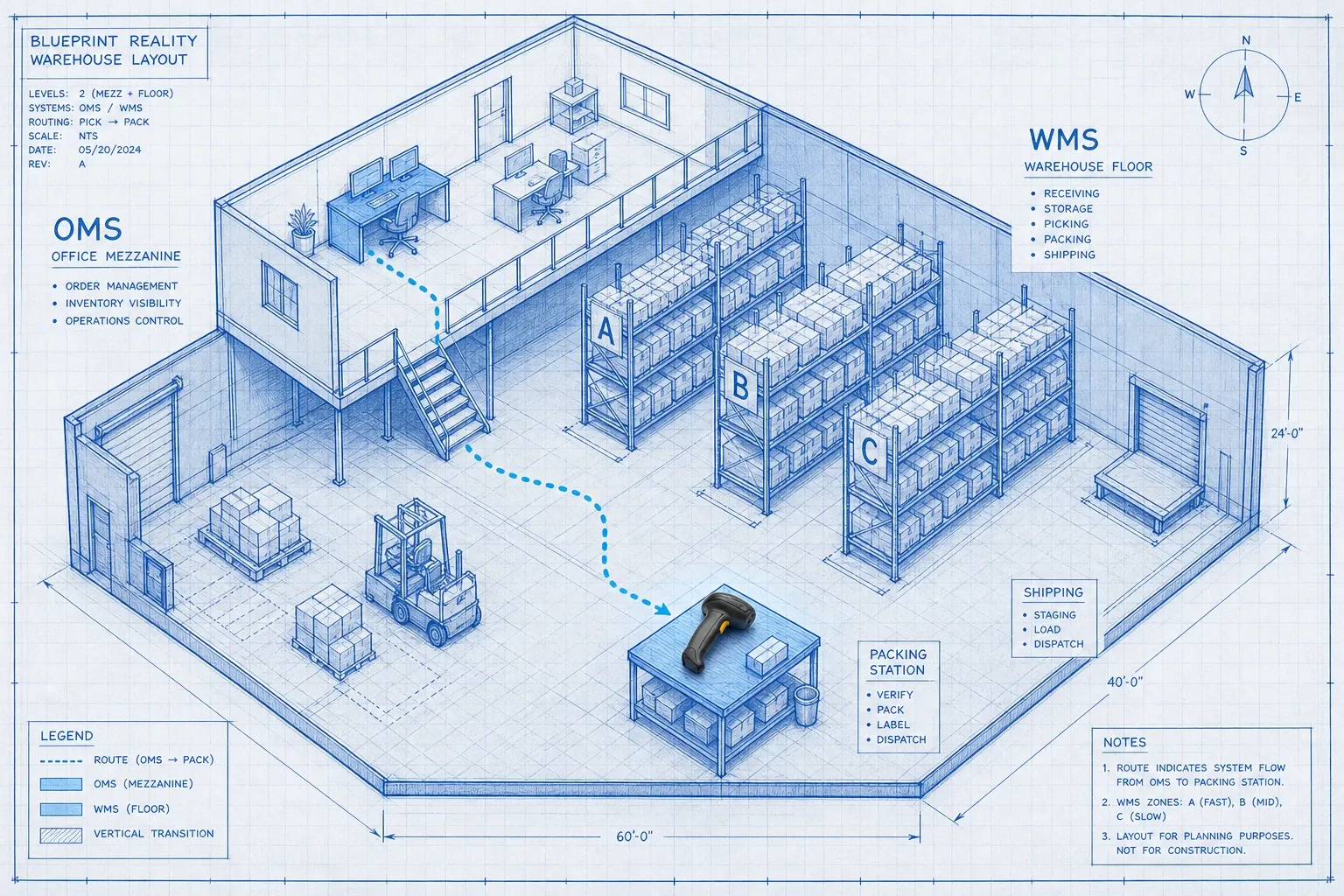
In short, the OMS decides where and how an order should be fulfilled. The WMS executes the pick, pack, and ship work once that decision lands.
If you are still mapping whether you need a dedicated OMS at all, start with What Is an OMS? Do You Need One with Your WMS?. This post focuses on the handoff: how the two systems pass work without dropping inventory truth.
How do WMS and OMS work together day to day?
Picture a single order journey.
- Order capture. A customer buys on Shopify, Amazon, or a wholesale portal. The OMS (or a lighter order layer feeding an OMS) validates payment, address, and line items.
- Availability check. The OMS looks at network inventory. That view is only as good as the quantity feeds coming from each WMS (and any store or 3PL systems).
- Routing. Rules decide the node: closest warehouse, lowest ship cost, prefer owned DC over marketplace FBA, split lines if needed.
- Release to the floor. The OMS sends a fulfillment request to the chosen WMS with SKUs, quantities, and ship-by expectations.
- Execution. The WMS creates pick tasks, guides pack, prints labels (or hands off to a shipping tool), and confirms shipment.
- Feedback loop. The WMS decrements on-hand inventory and posts status back. The OMS updates the channel and the customer.
That loop sounds simple. Most pain shows up in steps 2 and 6: delayed quantity sync, double reservations, or confirmation that never makes it back upstream.
WMS vs OMS: side-by-side comparison
Dimension | WMS | OMS |
|---|---|---|
Primary question | How do we fulfill this order inside this building? | Which building, store, or partner should fulfill it? |
Inventory scope | Bin and location level inside a node | Network availability across nodes |
Core users | Warehouse leads, pickers, receivers | Ops managers, customer care, channel owners |
Strength | Throughput, accuracy, labor direction | Routing, channel capture, promise logic |
Weakness if used alone | Blind to multichannel network decisions | Blind to aisle-level execution reality |
They overlap on "inventory" and "orders," which is why teams confuse them. The clean rule: only one system should be the source of truth for a given fact. Floor quantity lives in the WMS. Network availability and order state live in the OMS. Financial ledgers live in the ERP. For how that ERP layer fits next to warehouse software, see WMS vs ERP.
Why does the handoff break so often?
Most mid-market brands do not fail because they picked the wrong acronym. They fail because the systems disagree about stock.
Industry data makes the stakes clear. According to the Warehousing Education and Research Council (WERC) 2025 DC Measures Report, best-in-class operations pick more than 99.68% of orders correctly, and order-picking accuracy jumped to one of the top three metrics warehouses care about most. That accuracy is a WMS and process outcome. It is wasted if the OMS promised units the floor never had.
On the commercial side, IHL Group estimates global inventory distortion (out-of-stocks plus overstocks) at about $1.77 trillion in 2025. Distortion is not only a buying problem. It is often a visibility problem: channels sell against stale counts while warehouses chase ghosts.
Common failure modes:
- Batch sync instead of near-real-time. A 15-minute lag is enough to oversell a hot SKU on two marketplaces.
- Safety stock only in one system. The WMS reserves 50 units for QA. The OMS still shows them as sellable.
- Channel-native order tools pretending to be an OMS. Shopify or Amazon admin can manage their own orders. They struggle when you need one rules engine across five channels and two buildings.
- Manual routing in Slack. Ops pastes order numbers into a spreadsheet because neither system owns multi-node logic.
Tools like BinLogic WMS keep bin-level quantities and fulfillment status accurate so your order layer (OMS, ERP, or channel hub) is not guessing. Accurate execution data is the fuel any OMS needs.
When do you need both?
Use this practical filter.
You can often start with a strong WMS (plus channel-native order tools) when:
- You fulfill from one primary warehouse
- Most volume sits on one or two channels
- Routing rules fit on a sticky note ("all Amazon goes FBA, everything else ships from us")
- Your biggest pain is floor accuracy, not network orchestration
You need a real OMS working with your WMS when:
- You fulfill from multiple warehouses, stores, or 3PLs
- You sell across several channels and must share one inventory pool without overselling
- You need split shipments, ship-from-store, or priority routing by margin and SLA
- Customer care needs one order timeline across channels
Multichannel inventory complexity is its own discipline. If channel sync is already noisy, read multi-channel inventory management.
What does a clean integration look like?
A healthy WMS and OMS integration is boring in the best way. Orders flow. Counts match. Exceptions are rare and visible.
Aim for these design choices:
- Clear ownership. WMS owns on-hand and location. OMS owns order state and network ATP (available to promise). ERP owns money.
- Event-driven updates. Ship confirmations, receipts, and adjustments should push quickly, not wait for an overnight file.
- Idempotent messages. Duplicate "shipped" events should not double-decrement inventory.
- Shared SKU identity. The same SKU map must exist in both systems before go-live. Mapping after launch is how returns go to the wrong bin.
- Exception queues humans can clear. Held orders, short picks, and address fails need an owner, not an inbox nobody watches.
Pitney Bowes' Parcel Shipping Index has long projected that global parcel volumes could more than double into the 220 to 262 billion range by 2026 versus 2019 levels. Volume growth does not invent new software categories, but it does punish weak handoffs. More parcels means more chances for a stale count to become a canceled order.
How should mid-market brands sequence the investment?
Sequence beats shopping for shiny platforms.
- Fix physical accuracy first. If you cannot trust counts inside one building, an OMS will route with confidence and still ship wrong. Cycle counting, barcode discipline, and a capable WMS come before fancy network rules.
- Document routing logic on paper. Write the five rules you actually use today. If you cannot write them, you are not ready to configure an OMS.
- Connect channels to one order brain. Collapse spreadsheet routing into either a dedicated OMS or a disciplined hub that already sits next to your WMS.
- Instrument the handoff. Track promise accuracy, cancel rate from stockouts, and time from order create to WMS release. Those KPIs tell you whether the stack is working.
- Expand nodes only after sync is stable. Opening a second warehouse before the first WMS and OMS loop is trustworthy multiplies chaos.
What mistakes should you avoid?
- Buying an OMS to fix a messy warehouse. Orchestration cannot rescue broken put-away and blind picks.
- Buying a WMS and expecting it to behave like a network OMS. Floor software will not magically route across 3PLs and stores.
- Letting every channel keep its own inventory ledger. That is how you invent ghost stock.
- Skipping returns in the design. Returns that update the OMS but never land in the WMS quietly destroy accuracy.
- Ignoring change management. Pickers live in the WMS. Customer care lives in the OMS. Train both, or the integration looks "broken" when people work around it.
Closing: treat WMS and OMS as partners, not alternatives
The useful answer to WMS vs OMS is not "pick one." It is "assign each layer its job and connect them." The OMS decides which node fulfills the promise. The WMS makes that promise real on the floor. Mid-market brands that respect that split ship cleaner, oversell less, and spend less time reconciling two truths that should have been one.
If warehouse accuracy is the weak link in your stack, start there. A modern WMS that keeps location-level inventory honest makes every order system downstream more trustworthy, whether you already run a full OMS or are still growing into one.
Frequently asked questions
What is the difference between a WMS and an OMS?
A warehouse management system (WMS) controls physical operations inside a warehouse: receiving, bin-level inventory, picking, packing, and shipping. An order management system (OMS) sits above the warehouse. It captures orders from every sales channel, checks available inventory across nodes, and routes each order to the best fulfillment location. The OMS decides where. The WMS does the work.
Do I need both a WMS and an OMS?
If you ship from one warehouse on one or two channels with simple routing, a solid WMS plus your ecommerce platform may be enough. You need both when you fulfill from multiple locations, sell across several channels, or route orders with rules for speed, cost, or inventory priority. That is when network orchestration becomes its own job.
Can a WMS replace an OMS?
No. A WMS is built for floor execution inside one facility. It does not reliably capture multichannel orders, run available-to-promise across a network, or choose between warehouses, stores, and 3PLs. Stretching a WMS into that role creates manual routing, stale inventory promises, and oversells.
How do a WMS and OMS share inventory data?
The WMS is usually the source of truth for on-hand quantity at bin or location level. It pushes quantity and status updates to the OMS. The OMS aggregates those feeds into network availability, applies safety buffers or channel reservations, and uses that view to route new orders. Bad sync latency is the most common failure point.
Which should I implement first, WMS or OMS?
Stabilize warehouse execution first if inventory accuracy, picking errors, or dock chaos are your biggest problems. Add or upgrade the OMS when channel growth, multi-node fulfillment, or promise accuracy outgrow spreadsheet routing. Many mid-market brands already have light order tools in Shopify or an ERP and need a purpose-built WMS before a full OMS.
Run your warehouse without losing a single unit.
Binlogic is the warehouse management system for brands and retailers who run their own fulfillment. Receive, count, pick, pack and ship, with every move scanned. See it in a 30-minute demo.
Get a demo