Inventory Discrepancy: How to Find It, Fix It, and Stop It
An inventory discrepancy is any gap between what your system says you have and what is physically on the shelf. Find it with a blind recount and transaction history, fix it with a coded adjustment only after you know the cause, and stop it by hardening receiving, putaway, picks, and returns so the same variance cannot repeat.
An inventory discrepancy is any mismatch between the quantity your system shows and the quantity sitting in a bin. When those numbers disagree, every pick, purchase order, and channel listing built on that record is at risk.
An inventory discrepancy is the gap between book inventory (what the system claims) and physical inventory (what you can count), measured at the SKU and location level.
This post is not another definition of inventory accuracy. It is the operating playbook for what you do after a variance shows up: how to find the real quantity, how to fix the record without burying the cause, and how to stop the same gap from opening again. If you are still building the broader accuracy program, start with what inventory accuracy is and how to measure it, then come back here for the find, fix, and stop workflow.
What is an inventory discrepancy (and why it hurts)?
On the floor, an inventory discrepancy looks simple. Location A-12 should hold 40 units. The scanner says 40. The shelf holds 33. Or the shelf holds 47 and nobody knows why.
That gap has two directions:
- Shortage: system quantity is higher than physical. You accept orders you cannot ship, create phantom stockouts, and burn customer trust.
- Surplus: physical quantity is higher than the system. You under-order, leave cash sitting in dead space, and often discover the "extra" units were never receivable or never returned correctly.
Both directions corrupt the same decisions. Buyers reorder from bad on-hand. Pickers walk empty bins. Finance closes books on inventory that does not exist. According to the National Retail Federation's 2023 National Retail Security Survey, the average retail shrink rate rose to 1.6% of sales in FY 2022, equal to $112.1 billion in industry losses. Shrink is not only theft. It includes process error, damage, and administrative mistakes that show up as inventory discrepancies on your ledger.
The macro cost is larger still. IHL Group's research on retail inventory distortion projected a global cost of about $1.77 trillion in 2023 from the combined damage of out-of-stocks and overstocks. Bad on-hand data is one of the engines behind that number. Every unfound discrepancy feeds either an empty shelf promise or an overstocked aisle.
What causes inventory discrepancies?
Most teams jump to theft. Theft happens, and you should investigate it when patterns warrant. Day to day, though, warehouse discrepancies usually come from ordinary process failures that leave no dramatic story, only a wrong number.
Receiving and putaway errors
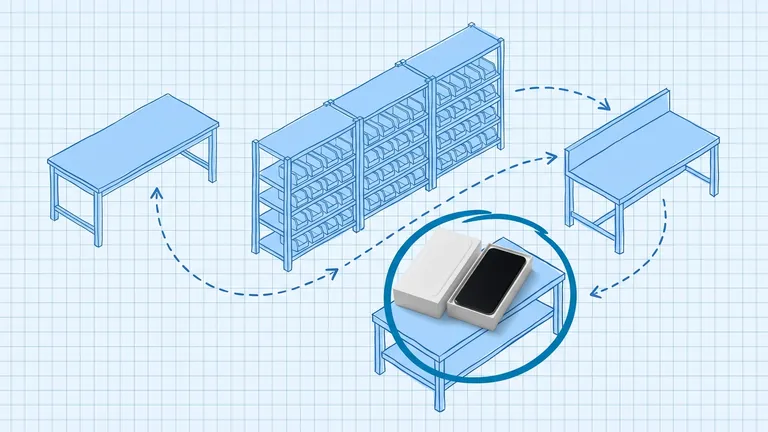
Wrong quantity keyed at the dock. Wrong SKU scanned because two cartons look alike. Units put into the wrong bin while the system records the correct one. Receiving and putaway sit at the start of the inventory chain. An error here travels into every later pick. Industry practitioners routinely estimate that receiving and putaway together drive the majority of warehouse variance. If your discrepancy reviews always start at the shelf and never at the dock, you are looking downstream of the real problem.
Picking, packing, and unscanned moves
A picker grabs the neighboring SKU. A packer short-ships without a system correction. Someone moves a partial carton "just for a minute" and never scans the transfer. Each of those moments creates a shortage in one location and a surplus (or a ghost) in another.
Returns that never re-enter inventory
Ecommerce return rates can be high enough that a weak reverse path alone will wreck accuracy. Units land in a returns cage, get marked available in the channel, and never get inspected, counted, or put back into a sellable bin. The system thinks they are pickable. The floor does not.
Damage, expiry, and silent write-offs
Damaged goods stay on the shelf with full available qty. Expired lot stays in the location because nobody ran the write-off. The physical count later looks like "shrink" when the real issue was never booking the status change.
System and channel sync lag
Multi-channel brands add a second layer: the WMS may be right, but a marketplace listing is stale, or an ERP adjustment never landed. That is still an inventory discrepancy from the customer's point of view. For the sync side of the problem, see how to prevent overselling across multiple channels.
Theft and fraud
External theft, internal theft, and vendor short-ships are real. Treat them as causes you prove with evidence, not as the default explanation for every variance. If you adjust every gap to "shrink" without investigation, you lose the signal that would have fixed receiving or putaway.
How do you find an inventory discrepancy?
Finding the discrepancy is not the same as finding the cause. First you confirm the physical truth. Then you pull the history that explains how you got there.
1. Confirm the gap with a blind recount
When a location or SKU flags variance, recount it without showing the expected quantity. Open counts invite confirmation bias. Blind counts force the counter to report what they see. For why that method matters, read what a blind count is and why it reduces variance.
Count every location that holds the SKU, not only the bin that looked wrong. Misplaced units often sit one aisle over. A single-bin recount can "fix" a shortage by missing the surplus next door.
2. Freeze or soft-lock high-risk SKUs
If the SKU is actively being picked into customer orders, pause or soft-lock availability while you investigate. Shipping against a known bad on-hand turns one discrepancy into a canceled order and a chargeback.
3. Pull the transaction history
Open the movement log since the last clean count for that SKU and location set. Look at receipts, putaways, picks, transfers, returns, and prior adjustments. You are hunting for the window where book and physical diverged.
Useful filters:
- Transactions on the same shift or user as the last known good state
- Receipts that were keyed without a scan confirmation
- Transfers with missing destination scans
- Returns posted as available without a putaway
- Adjustments with vague or missing reason codes (those often hide earlier failures)
4. Walk the failure chain in order
Investigate in process order, not in emotional order:
- Receiving: Did the PO qty match what landed?
- Putaway: Did units land in the bin the system recorded?
- Picking and packing: Do pick confirmations and ship confirmations align?
- Returns and damage: Did status changes actually move product?
- System sync: Did every channel and the ERP see the same on-hand?
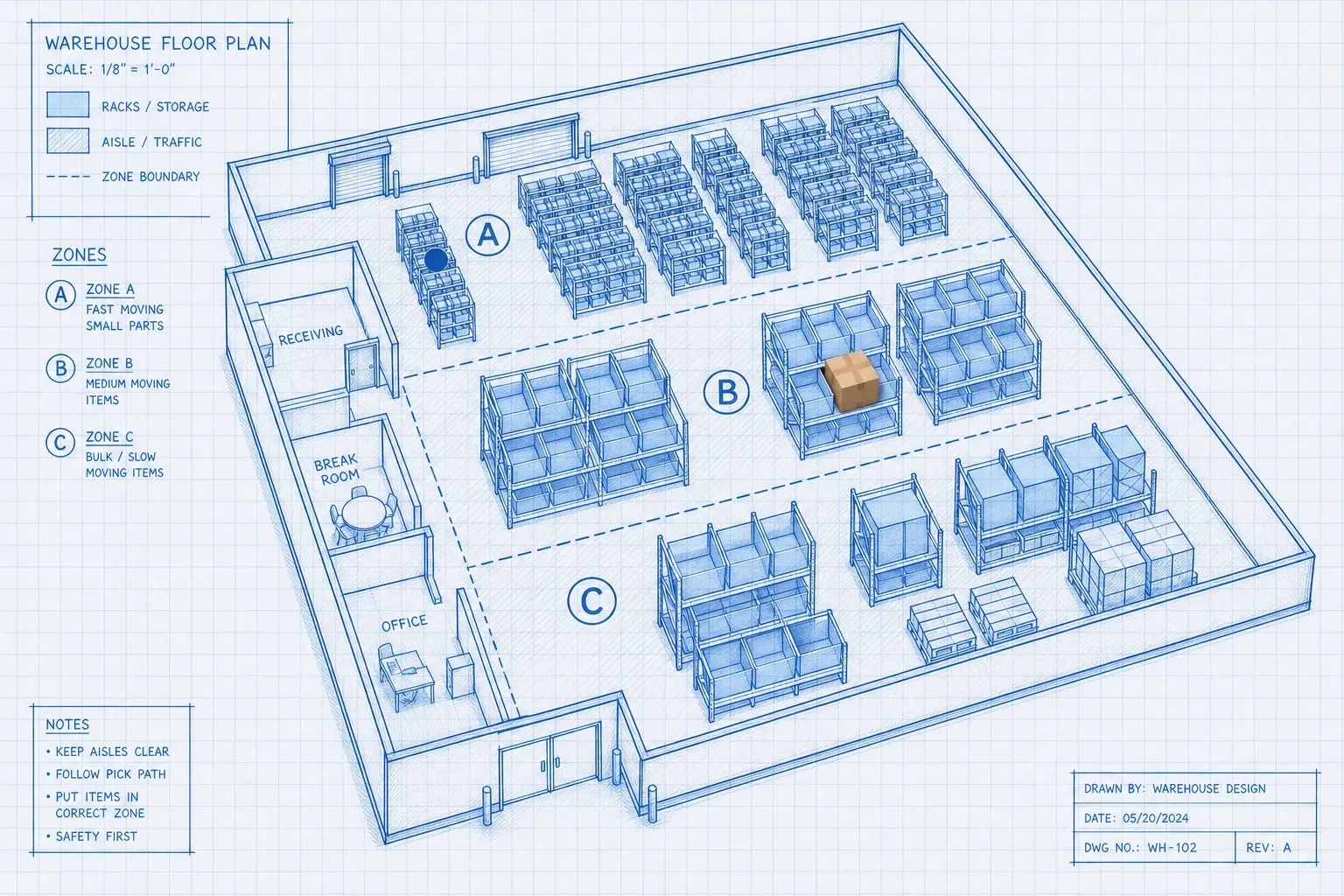
Stop when you have a cause you can prove. Do not invent a story to close the ticket.
How do you fix an inventory discrepancy?
Fixing means two things: correct the physical and system state, and record the cause so finance and ops can trust the change.
Correct the physical state first
If units are in the wrong bin, move them with a scanned transfer. If units are damaged, quarantine them and write them off under the right status. If units were never received, complete or reverse the receipt. The goal is that the floor matches a coherent story before you touch the ledger for a pure quantity adjustment.
Adjust the system only with a reason code
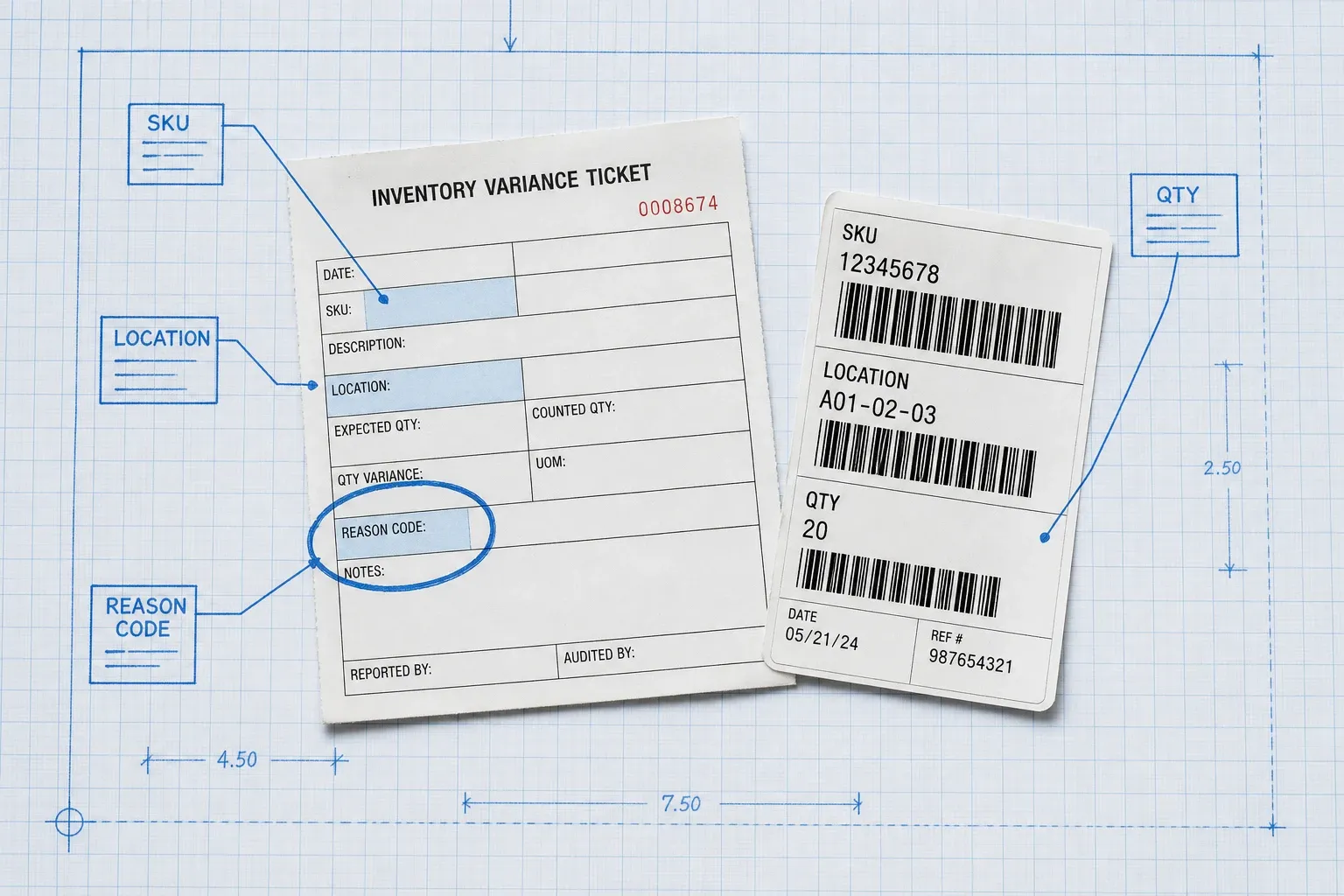
Once physical reality is clear, update on-hand with a controlled adjustment. Require:
- SKU and location
- Before and after quantity
- Reason code (receiving error, putaway error, pick error, damage, return lag, theft suspected, cycle count correction, other with notes)
- Approver for variances above your dollar or unit threshold
- Timestamp and user
Never use a generic "adjustment" dump code for everything. Reason codes are how you see which process is leaking. Without them, next month's discrepancy report is noise.
Recheck the SKU on a short cycle
After a material fix, put the SKU on accelerated cycle counts for the next several days or weeks. A one-time adjust that drifts again means you fixed the number, not the process. Pair this with the no-shutdown accuracy approach in how to achieve 99% inventory accuracy without shutting down.
Sync every system that sells the SKU
If you sell on multiple channels, push the corrected on-hand everywhere at once. Sequential updates recreate the gap. The warehouse record is not fixed until the storefronts and marketplaces match it.
How do you stop inventory discrepancies from coming back?
Stopping recurrence is where most teams fail. They clear the variance, celebrate a clean count, and leave the broken step in place.
Harden the high-leak touchpoints
Focus controls where discrepancies are born:
- Receiving: scan every line, match against the PO, quarantine exceptions before putaway.
- Putaway: directed locations, unique bin IDs, scan confirmation into the destination.
- Picks and moves: scan confirmation on pick and on any relocation. No "I'll update it later."
- Returns: inspect, count, and put away before restoring available qty.
- Damage and expiry: status changes the same day the condition is found.
Barcode scanning at these touchpoints is the baseline. Manual keying is where silent qty errors thrive. For the scanning side of the stack, see barcode scanning in the warehouse.
Run ABC cycle counts instead of waiting for year-end
Annual wall-to-wall counts find discrepancies when they are expensive and hard to explain. Cycle counts catch them while the transaction trail is still warm. Count A-movers often, B-movers on a medium cadence, and C-movers less often but still on a schedule. If you need the classification math, use ABC inventory classification.
Set variance thresholds that force investigation
Define unit and dollar thresholds that block a silent adjust. Example: any variance over 2% of on-hand, or over a set dollar value, requires a recount plus a reason code and a supervisor sign-off. Small noise can clear with a coded cycle-count correction. Large gaps must earn their adjustment.
Track discrepancy causes as a KPI
Publish a weekly reason-code rollup. If 40% of adjustments land on "putaway error," you have a training or directed-putaway problem, not a mystery shrink problem. Gartner lists inventory accuracy among its top warehouse operational metrics for a reason: leaders treat the record as a performance system, not a once-a-year scrub.
Put the controls in the WMS, not in a binder
SOPs fail when the floor is busy. The durable fix is a warehouse management system that requires the scan, blocks the bad putaway, stores the reason code, and keeps location-level on-hand in real time. Tools like BinLogic WMS build those checks into receiving, putaway, cycle counts, and adjustments, so your team does not need a spreadsheet for every location or a heroic year-end recount to trust the numbers.
A practical find, fix, stop checklist
Use this as the standard response when a discrepancy appears:
- Blind-recount every location for the SKU.
- Soft-lock or pause availability if orders are at risk.
- Pull transaction history since the last clean count.
- Investigate receiving, putaway, pick, returns, then sync.
- Correct physical state (move, quarantine, complete the receipt).
- Post a reason-coded adjustment with approval if needed.
- Push corrected on-hand to every selling channel.
- Flag the SKU for short-cycle recounts.
- Log the root cause in the weekly discrepancy KPI.
- Change the process control that allowed the gap.
If you only do steps 1 and 6, you are managing symptoms. The value is in 3, 4, 9, and 10.
Closing
Inventory discrepancies are not a paperwork inconvenience. They are a live signal that a process or a system handoff failed. Find the true quantity with blind recounts and transaction history. Fix the record with reason-coded adjustments after you know the cause. Stop the repeat by hardening receiving, putaway, picks, and returns, and by counting on an ABC rhythm instead of waiting for the annual scramble.
When those controls live in your daily WMS workflow, the gap between book and physical shrinks, and the next variance is small enough to catch before it becomes a canceled order or a write-off.
Related reading:
Frequently asked questions
What is an inventory discrepancy?
An inventory discrepancy is a mismatch between the quantity in your warehouse management system (or ERP) and the quantity you can physically count in a location. It can be a shortage (system higher than physical) or a surplus (physical higher than system). Both break fulfillment, purchasing, and financial reporting until you investigate and correct them.
What causes most inventory discrepancies in a warehouse?
Most warehouse discrepancies start upstream. Receiving and putaway mistakes (wrong qty, wrong SKU, wrong bin) create phantom stock that every later pick inherits. Picking errors, unscanned moves, returns that never re-enter a bin, damage that is never written off, and channel sync lag also add variance. Theft matters, but process and data errors usually dominate day-to-day floor gaps.
How do you investigate an inventory discrepancy step by step?
Freeze the SKU if it is actively picking wrong, then run a blind recount of every location that holds it. Pull the transaction history since the last clean count (receipts, putaways, picks, transfers, returns, adjustments). Walk the likely failure points in order: receiving, putaway, pick, returns. Assign a reason code only when you know the cause, then adjust the system and flag the SKU for short-cycle recounts.
Should you adjust inventory as soon as you see a discrepancy?
No. An immediate adjust-to-match hides the process failure that created the gap. Confirm the physical quantity first, then investigate. Adjust only after you have a root cause and a reason code. Adjustments without codes turn your inventory ledger into a dumping ground and guarantee the same problem returns next week.
How do you stop inventory discrepancies from coming back?
Harden the touchpoints that create most variance: scan-verified receiving, directed putaway into unique bin locations, scan confirmation on picks and moves, and a returns path that inspects and restocks before availability is restored. Pair that with ABC cycle counts, variance thresholds that force investigation, and reason-coded adjustments. Tools like BinLogic WMS keep those controls in the workflow so the floor does not depend on memory or spreadsheets.
Run your warehouse without losing a single unit.
Binlogic is the warehouse management system for brands and retailers who run their own fulfillment. Receive, count, pick, pack and ship, with every move scanned. See it in a 30-minute demo.
Get a demo