WMS for Small Business: When Is It Worth It?
A warehouse management system (WMS) for small business is worth it when inventory mistakes, multi-channel orders, or SKU growth make spreadsheets and shipping tools unreliable. If you hit several readiness signals (accuracy dips, stockouts, slow picks, or channel sync pain), a cloud WMS usually pays for itself through fewer errors and less manual work. Use this guide to decide timing, features, and what to skip.
A warehouse management system (WMS) for small business is worth buying when inventory mistakes, multi-channel orders, or SKU growth make spreadsheets and basic shipping tools unreliable. If your team is already spending evenings reconciling stock, apologizing for stockouts, or hunting for product in the aisle, you have crossed the line where a purpose-built system usually costs less than the status quo.
A WMS for small business is software that tracks inventory by bin location, directs warehouse work with barcode scans, and keeps stock accurate as orders move across channels.
You do not need a Fortune 500 warehouse to justify one. You need a clear tipping point, a short feature list, and a plan that fits a lean team.
What does a WMS for small business actually do?
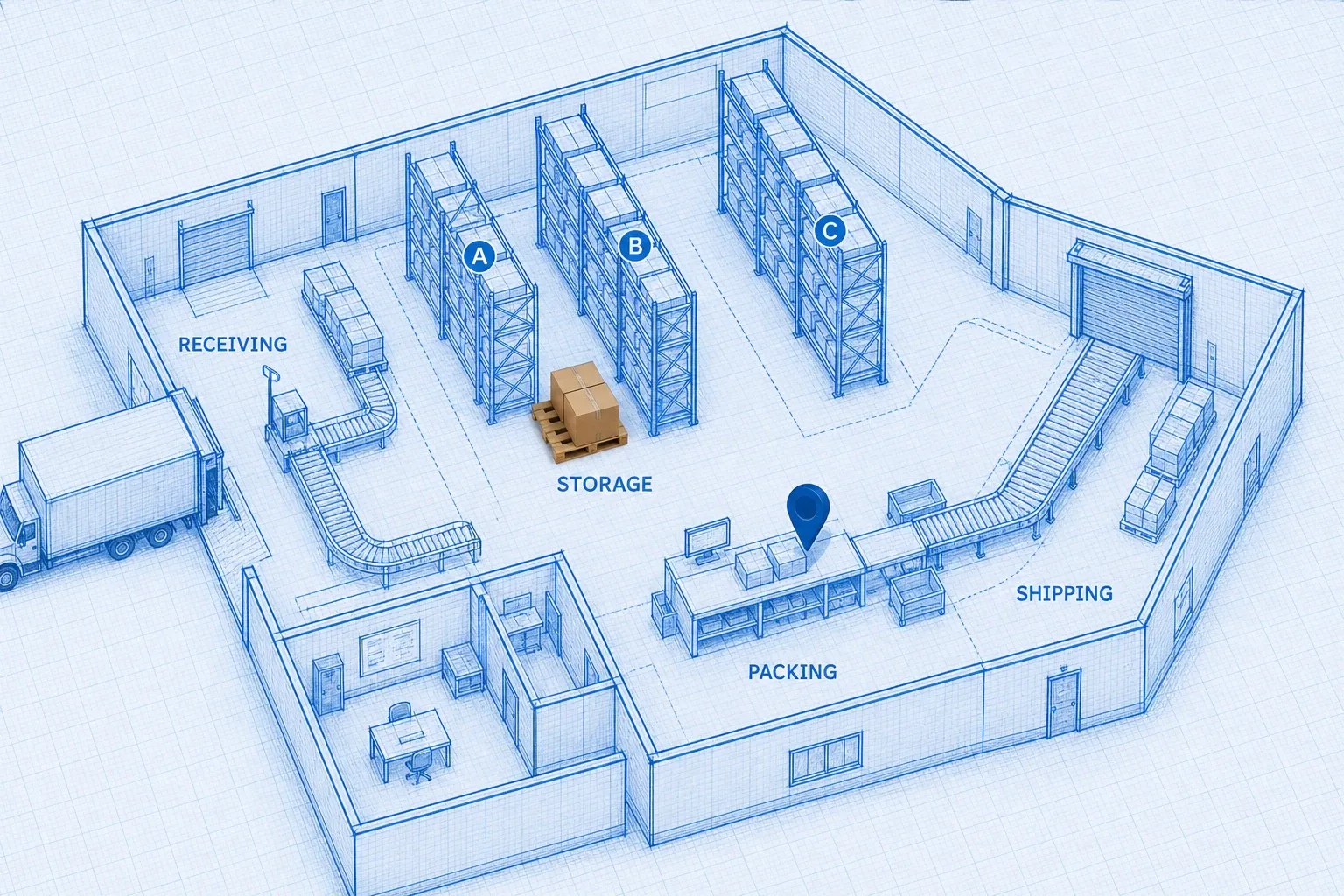
Think of a WMS as the system of record for physical stock. Your ecommerce platform knows what customers ordered. Your accounting tool knows what you billed. The WMS knows what is sitting on a shelf, which tote it is in, and whether that unit is available to sell.
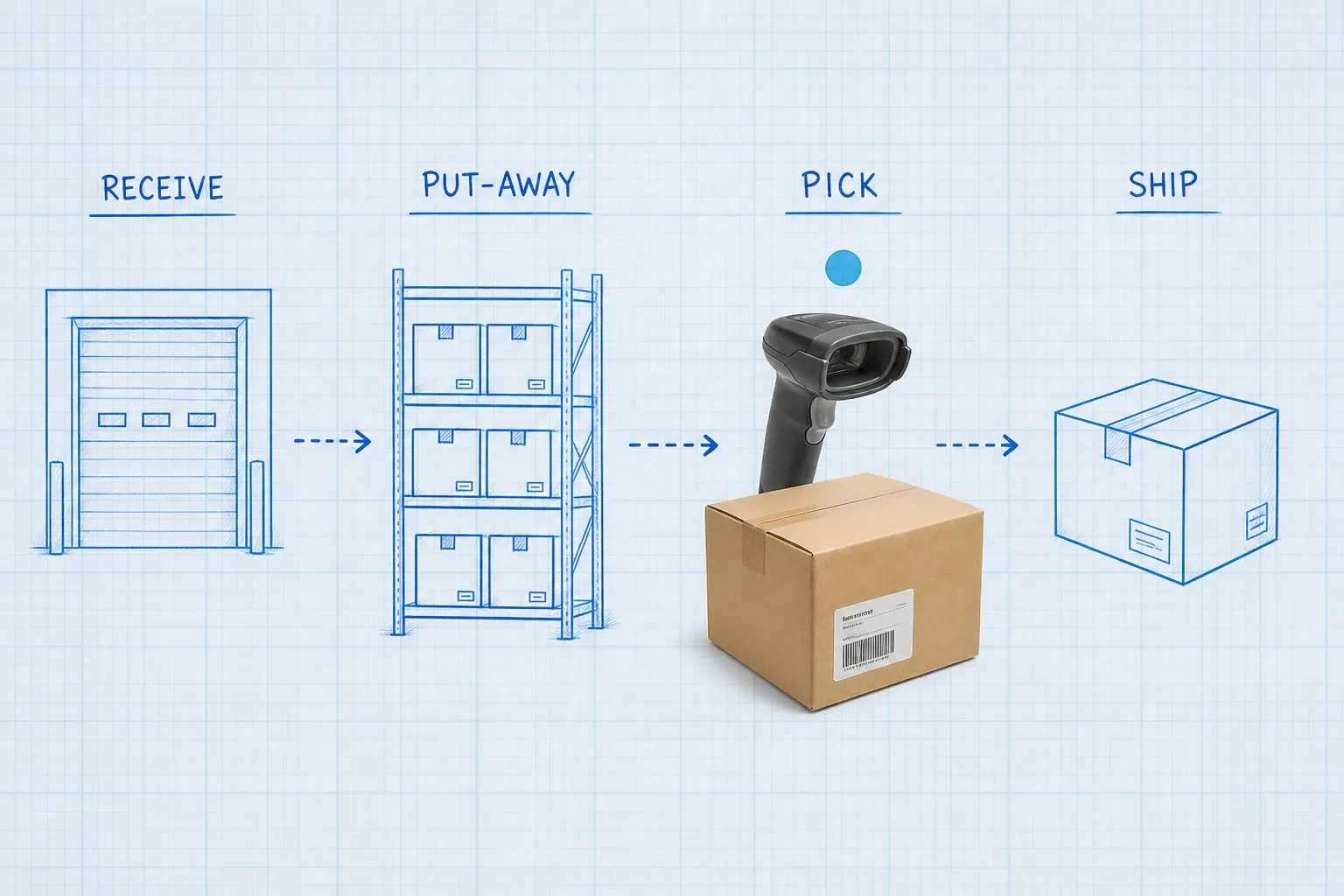
For a small operation, the core jobs are simple:
- Receive purchase orders and scan product into locations
- Reserve inventory when an order is released to the floor
- Direct picks so associates do not improvise routes
- Confirm pack and ship so available quantity drops in real time
- Feed accurate on-hand numbers back to Shopify, Amazon, or your ERP
If you want a plain-English walkthrough of the broader category, start with What Is a Warehouse Management System (WMS)? and What Does a WMS Actually Do?. This post focuses on timing: when a small brand should stop delaying.
When is a WMS for small business worth the investment?
Worth it means the monthly software cost plus scanners and training is lower than the money and hours you already burn on errors, stockouts, and manual reconciliation. Run that math honestly before you look at demos.
Signals you have outgrown spreadsheets
You are likely ready when several of these are true at once:
- Inventory accuracy keeps slipping. Cycle counts disagree with the spreadsheet, and nobody is surprised anymore.
- You sell on more than one channel. Shopify, Amazon, wholesale, and a wholesale portal all touch the same stock, and sync happens by hand or overnight batch.
- Pickers hunt instead of pick. Associates walk the same aisle twice because locations are tribal knowledge.
- Stockouts and oversells show up in customer tickets. Marketplace penalties or refunds start to feel normal.
- SKU count or daily order volume jumped. What worked at 50 orders a day breaks at 150, especially with variants.
- You cannot answer "where is it?" in under a minute. That question should never require a walk of the floor.
If you already recognize yourself in that list, our guide to 7 Signs You've Outgrown Your Inventory Spreadsheet goes deeper on the spreadsheet failure modes.
A practical readiness checklist
Use this as a decision filter, not a vendor quiz. If you check three or more, start evaluating tools this quarter:
Check | Why it matters |
|---|---|
Inventory accuracy under ~97% and trending down | Manual systems rarely climb without scanning and locations |
200+ orders per day on average, or sharp peak season spikes | Volume multiplies every mispick |
500+ active SKUs with location-based picking | Memory does not scale |
3+ sales channels with different fulfillment rules | Spreadsheets lag and conflict |
Weekly hours spent on inventory reconciliation | Labor cost is often larger than the software fee |
Retail or wholesale partners asking for better ASN or EDI discipline | Downstream partners force process maturity |
Fewer than three checks does not mean "never buy software." It often means fix process first: label locations, tighten receiving, and measure accuracy for 30 days. A WMS accelerates whatever habits you already have. Good habits get faster. Messy habits get messy at scale.
What does the research say about WMS value?
You do not need a consultant deck to justify the category. Analyst and industry surveys keep landing on the same themes: accuracy, payback speed, and the cost of staying manual.
According to Nucleus Research, organizations that deploy a WMS improve inventory accuracy by an average of 20 percent, and 46 percent of those organizations see accuracy gains within the first year. That is not a vanity metric. Higher accuracy cuts emergency purchases, shrinks safety stock, and reduces the customer service load that follows a wrong shipment.
Modern Materials Handling's 2025 Warehouse/DC Operations Survey found that 87 percent of respondents use some type of WMS, and 76 percent track inventory accuracy as an operational metric. Even among operations that already run software, inventory discipline remains a top management focus. Small teams without a WMS are competing against a market that treats location-level accuracy as table stakes.
Gartner's Magic Quadrant research on warehouse management systems has also reported that the majority of organizations implementing a WMS achieve full return on investment within two years. Payback is not automatic, but it is common when the implementation stays scoped to real floor pain instead of a feature tour.
Put those numbers next to your own error rate. If a mispick costs $20 to $50 once you include reship, return handling, and customer credit, a few percentage points of accuracy improvement can fund a cloud WMS subscription before you even count labor hours saved on clipboard counts.
Spreadsheet, shipping tool, or WMS: which layer are you on?
Small brands often confuse three different tools:
- Spreadsheets store counts. They do not direct work or enforce scans.
- Shipping platforms print labels and rate shop. Some add light inventory, but they are not bin-level warehouse systems.
- A WMS owns locations, directed tasks, and real-time availability for the floor.
Moving from spreadsheet to a shipping tool can help when your bottleneck is carrier labels. It will not fix location chaos or multi-channel oversells. Moving to a WMS too early can waste budget if you still ship 20 orders a day from one shelf and one channel. The decision is about operational complexity, not vanity.
A useful rule of thumb:
- Stay on spreadsheet + shipping tool if accuracy is high, SKUs are few, and one person can still "see" the whole inventory in their head.
- Add a WMS when growth makes that mental model fail, especially across channels.
- Do not buy enterprise WMS when a mid-market cloud product covers receiving, locations, scanning, and sync. Overbuying is a classic small-business failure mode.
Which features matter (and which can wait)?
Buy for the next 12 to 18 months, not for a fantasy warehouse.
Must-haves for most small warehouses
- Bin and location tracking with printable labels
- Barcode scanning on receive, pick, and cycle count
- Real-time available-to-sell updates to your sales channels
- Simple put-away and pick workflows on a phone or rugged scanner
- Basic inventory and order reports your ops lead can read without a BI team
- Clean integrations for the storefronts and carriers you already use
Tools like BinLogic WMS focus on that warehouse-first layer so your team is not forcing a spreadsheet to behave like a floor system.
Nice-to-haves you can add later
- Advanced wave or batch engines
- Yard and dock appointment modules
- Robotics orchestration
- Heavy custom workflows written by a systems integrator
If a demo spends more time on futuristic automation than on receiving a PO into a labeled bin, keep looking. Small teams win with boring reliability.
How much should a small business budget?
Public pricing for small-business and mid-market inventory or warehouse tools often sits in the low hundreds to low thousands of dollars per month, depending on users, order caps, and modules. Implementation can be light for cloud products, or it can balloon if you insist on customizations on day one.
Budget four cost buckets:
- Software subscription
- Hardware (scanners, spare batteries, label printers, thermal labels)
- People time (data cleanup, location labeling, training)
- Integrations (storefront, ERP, shipping, accounting)
Then compare that annual total to your status-quo cost: hours spent reconciling inventory, cost of mispicks, marketplace penalties, and emergency freight when you discover a stockout too late. If you want a structured approach to that math, use How to Calculate WMS ROI (and Make the Case Internally) and our 2026 WMS cost breakdown.
How do you implement a WMS with a small team?
You do not need a six-month PMO. You need a narrow first release.
A lean rollout sequence
- Clean the item master. SKUs, barcodes, units of measure, and pack sizes must be trustworthy.
- Label every location. No unlabeled "miscellaneous" zones if you can help it.
- Map receiving and put-away. Decide who scans, who stages, and who owns exceptions.
- Connect one sales channel end to end. Prove inventory sync before you bolt on every marketplace.
- Train on the floor, not in a conference room. Have associates complete real receives and picks with a supervisor shadowing.
- Freeze scope for two weeks after go-live. Collect issues, then expand.
Cloud WMS products aimed at growing brands can often reach a usable first release in weeks, not quarters, when you refuse scope creep. If a vendor quotes months of discovery for a single-aisle ecommerce warehouse, ask what complexity they are assuming that you do not have.
Common mistakes that waste a small-business WMS budget
- Buying enterprise features for a mid-size problem. You pay for complexity you will not use.
- Skipping location labeling. Software cannot invent physical discipline.
- Going live on every channel at once. Parallel cutovers hide root causes.
- Leaving barcodes incomplete. Scanning only works when every sellable unit has a scannable identity.
- Expecting the WMS to fix broken purchasing. Bad forecasts and late POs still hurt. The WMS just makes the pain visible sooner.
- Ignoring change management. If pickers keep using paper "because it is faster," accuracy will not improve.
How do you choose the right WMS for a small business?
Shortlist three vendors max. Score them on operational fit, not slide-deck feature counts.
Ask each vendor:
- How long does a customer like us take to first successful pick?
- What is included in the monthly fee versus paid add-ons?
- How do inventory updates hit Shopify, Amazon, or our ERP?
- Can seasonal workers get access without a painful per-seat spike?
- Can we export all inventory and order data if we leave?
For a broader buying framework aimed at growing brands, see How to Choose a WMS: A Mid-Market Buying Guide. Pair that with a realistic implementation playbook if your operation is closer to mid-market complexity than a single-room stockroom.
So, when is it worth it?
A WMS for small business is worth it when the cost of inaccurate inventory and manual work exceeds the cost of a focused cloud system, and when your team is ready to scan locations instead of relying on memory. You do not need thousands of orders a day. You need recurring pain that process tweaks alone cannot fix.
If you are still early, tighten receiving, label bins, and measure accuracy for a month. If you already live in reconciliation hell across channels, stop waiting for a perfect season. The longer you delay, the more every new SKU and every new channel multiplies the same errors.
Start with the readiness checklist above, price the status quo, and only then book demos. When you evaluate options, keep the scope warehouse-first: locations, scanning, and trustworthy available-to-sell numbers. That is the difference between a tool that sits unused and a system your floor actually trusts.
Related reading
Frequently asked questions
What is a WMS for small business?
A WMS for small business is warehouse software that tracks inventory by location, directs receiving and picking with barcode scans, and keeps stock counts accurate without enterprise complexity. It sits between your storefronts or ERP and the warehouse floor so your team knows what is on hand and where it sits.
When does a small business need a WMS instead of a spreadsheet?
You need a WMS when spreadsheets stop matching the floor, stockouts or oversells become common, or pickers spend too much time hunting for product. Multi-channel sales, rising SKU counts, and inventory accuracy below about 97% are common tipping points.
How much does a WMS for small business cost?
Small-business and mid-market cloud WMS plans often land in the low hundreds to low thousands of dollars per month, depending on users, order volume, and modules. Budget separately for scanners, labels, training, and any integration work. Compare that total to what you already spend fixing errors and chasing stock.
Can a small team implement a WMS without an IT department?
Yes, if you choose a cloud WMS with guided onboarding, native ecommerce integrations, and mobile scanning. Keep the first release narrow: locations, barcode receiving, directed picks, and channel sync. Expand features after the floor trusts the data.
What features matter most in a WMS for small business?
Prioritize real-time inventory by bin location, barcode scanning at receive and pick, multi-channel stock sync, basic reporting, and clean integrations with your storefront and shipping tools. Skip yard management, complex wave engines, and heavy customization until volume clearly requires them.
Run your warehouse without losing a single unit.
Binlogic is the warehouse management system for brands and retailers who run their own fulfillment. Receive, count, pick, pack and ship, with every move scanned. See it in a 30-minute demo.
Get a demo