What Is Cycle Counting in Inventory Management?
Cycle counting checks a small, rotating subset of inventory on a recurring schedule instead of shutting down for one big annual count. Frequencies usually follow ABC tiers — fast movers counted often, slow movers rarely — and every variance gets a reason code so you can fix the root cause.
The annual physical inventory is a ritual most warehouses dread. Shut the building for a day or two, pull everyone off their jobs, count every shelf, reconcile the chaos, and reopen hoping the numbers hold. They rarely do for long. By the next week, the count you bled to produce is already drifting out of date.
Cycle counting is the alternative, and once a team switches, almost nobody goes back. Instead of one massive count a year, you count a small rotating slice of inventory continuously while the warehouse keeps running. Here's how it works and how to build a schedule that fits your operation.
What cycle counting is
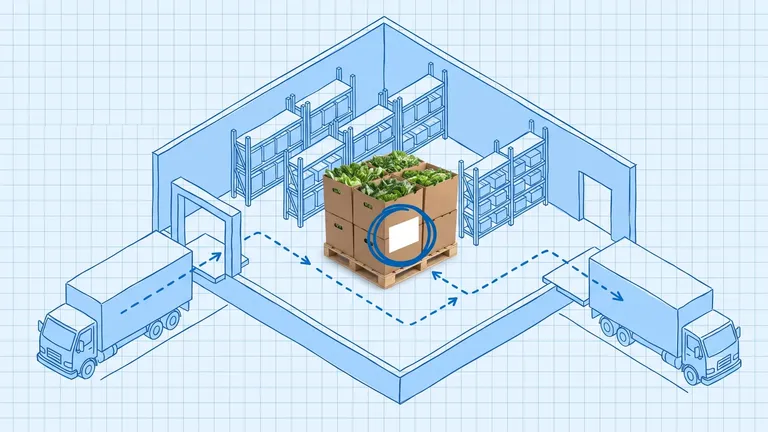
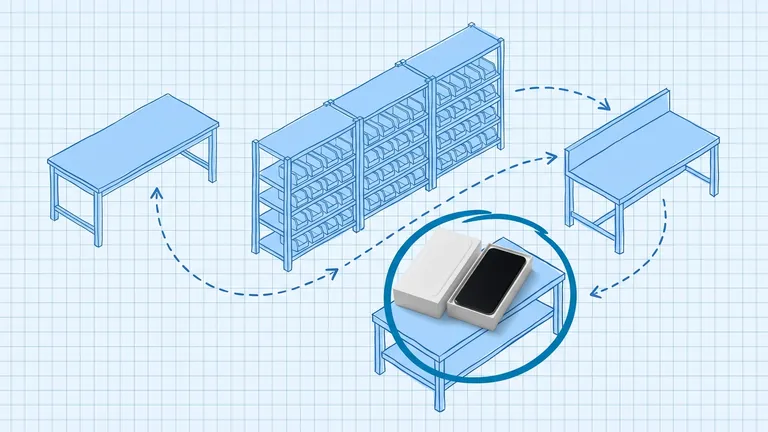
Cycle counting audits a portion of your locations on a recurring schedule (daily or weekly) without stopping operations. You count a defined set of bins today, a different set tomorrow, and over time you cover the whole facility, often several times for the items that matter most.
The output is a running variance report: where the system quantity and the physical quantity disagree, broken down by SKU, location, and the reason behind each gap. Because you're counting constantly, you catch errors close to when they happen, while the receiving paperwork or the transfer log is still fresh enough to investigate.
Cycle counting vs. a full physical inventory
The two aren't rivals so much as different philosophies of when to count.
Full physical inventory | Cycle counting | |
|---|---|---|
Frequency | Once or twice a year | Continuous (daily/weekly) |
Disruption | Warehouse shuts down | Runs during normal operations |
Error detection | Once a year, in a lump | Close to when errors occur |
Labor | Concentrated, all-hands | Spread evenly across the year |
Accuracy between counts | Decays for months | Stays current |
The big annual count still has its place for some compliance and financial purposes. But for keeping your records trustworthy day to day, it's the wrong tool. It produces a number that's accurate for about a week and stale for the other fifty-one.
Building a count schedule with ABC
The smartest way to decide what to count and how often is to tie frequency to ABC classification. Count what moves and what's expensive more often; count the long tail rarely.
A common schedule:
- A items (top ~20% by velocity or value): count monthly, or weekly for the highest-value ones
- B items (the moderate middle): count quarterly
- C items (the slow long tail): count semi-annually
- Any SKU with a recent variance: recount within a few business days, regardless of tier
This concentrates your counting labor where accuracy failures cost the most, while still touching every location at least once or twice a year. Many operations run 50 to 100 location counts a day as a quiet background task, completing a full-facility audit on a rolling basis without anyone noticing.
The five-step count process
A disciplined count is what separates a warehouse holding 97%+ accuracy from one stuck at the industry-average 83%. The execution matters more than the method.
- Freeze the zone. Lock the bins you're about to count from picking and putaway for the count window, usually a short stretch of 30 to 90 minutes.
- Count blind. Don't show the counter the system quantity. If someone sees "144 units" on the sheet, they tend to confirm 144 instead of actually counting. Blind counts catch the errors confirmation counts miss.
- Flag variances at the point of count. Anything outside a small threshold — say two units or one percent — gets flagged immediately.
- Recount flagged items, ideally by a different person. A second set of eyes confirms whether the variance is real before you touch the system.
- Post with a reason code. Log the probable cause: receiving error, mispick, unrecorded transfer, damage, return not posted, unknown. Then update the record.
That reason code is the part teams skip and the part that pays off most.
Why the reason code matters
Anyone can change a number to match the floor. That's not inventory management, that's bookkeeping over a leak. The reason code turns each variance into data about where your process is failing.
Count a few months of variances tagged "unrecorded transfer" and you've found a transfer process that needs fixing. A pile of "receiving error" tags points at the dock. Without reason codes, you adjust the same SKUs month after month and never learn why. With them, the variance report becomes a map of exactly where to fix the process so the errors stop happening.
Getting started
You don't need to overhaul everything at once. Start small:
- Classify your SKUs with a quick ABC pass if you haven't already.
- Set a modest daily target — even 20 to 30 location counts a day builds momentum.
- Count blind, recount variances, and log reason codes from day one. The discipline is the whole point.
- Feed corrections back into your system promptly, before the next pick wave runs against bad data.
Cycle counting trades one painful shutdown for a small daily habit. The habit is what keeps your inventory accurate enough to actually trust, which is the entire reason you count in the first place.
Frequently asked questions
What's the difference between cycle counting and a physical inventory?
A full physical inventory counts everything at once, usually requiring a shutdown. Cycle counting counts a portion of locations each day or week while the warehouse keeps operating, spreading the work across the year and catching errors closer to when they happen.
How do I decide cycle count frequency?
Tie it to ABC classification. A common schedule counts A items monthly (or weekly for high value), B items quarterly, and C items semi-annually, plus an immediate recount of any SKU that recently showed a variance. That puts your labor where errors are most expensive.
What is a blind count?
A blind count means the counter doesn't see the system quantity before counting. It removes confirmation bias — if someone sees '144 units' on the sheet, they're more likely to write down 144 without really counting. Blind counts catch errors that confirmation counts miss.
Run your warehouse without losing a single unit.
Binlogic is the warehouse management system for brands and retailers who run their own fulfillment. Receive, count, pick, pack and ship, with every move scanned. See it in a 30-minute demo.
Get a demo