
















The Difference Between WMS, IMS, and ERP
A WMS (Warehouse Management System) controls physical warehouse operations including receiving, putaway, picking, packing, and shipping. An IMS (Inventory Management System) tracks what you have and where across locations. An ERP (Enterprise Resource Planning) manages the entire business including finance, purchasing, and sales, and often includes basic inventory tracking. Most growing operations run an ERP as the system of record and a WMS for execution, sometimes adding a dedicated IMS when stock complexity demands deeper visibility.
A WMS (Warehouse Management System), IMS (Inventory Management System), and ERP (Enterprise Resource Planning) all deal with inventory, but they operate at completely different layers of your business. Confusing them leads to buying the wrong tool, over-investing in software you do not need, or under-investing in execution systems that actually move your orders.
The short version: your ERP manages the books and orders; your IMS tracks what stock you have and where; your WMS directs the physical work of receiving, storing, picking, packing, and shipping it.
Understanding where each system starts and stops helps you build a stack that actually works together.
What Is a Warehouse Management System (WMS)?
A WMS is built for execution. It controls the physical movement of goods through your warehouse from the moment freight arrives at the dock until the outbound shipment leaves.
Specifically, a WMS handles:
- Receiving and put-away: validates inbound shipments against purchase orders and assigns each pallet or case to an optimal storage location
- Pick path optimization: routes pickers through the warehouse in the most efficient sequence to reduce travel time
- Directed picking: tells each operator exactly which bin to go to, what quantity to pull, and which order to fulfill
- Packing and shipping: verifies order contents before the box is sealed and routes parcels to the correct carrier
- Cycle counting: schedules and tracks partial physical counts without shutting down operations
- Labor tracking: measures productivity by operator, zone, and task type
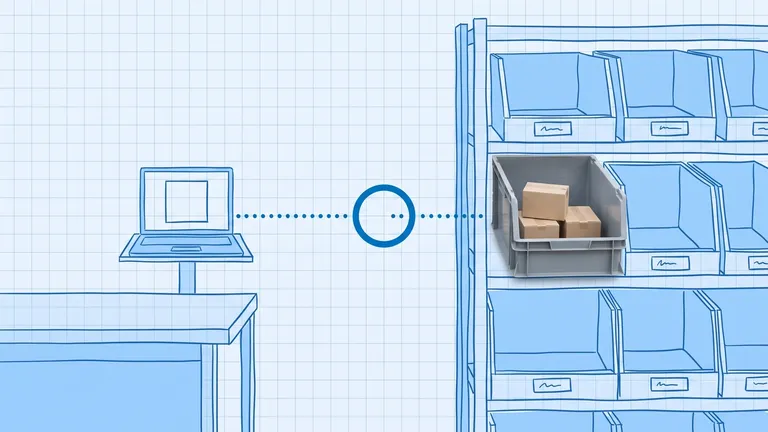
The WMS works at bin level. It knows that item SKU-4821 is in aisle C, bay 3, shelf 2, position B. Your ERP almost certainly does not.
If you want to understand the full scope of what a WMS does day to day, the What Does a WMS Actually Do? guide covers every function in plain language.
What Is an Inventory Management System (IMS)?
An IMS focuses on the what and how much. It tracks stock quantities, locations, and availability across one or more warehouses or stores, and it is built to answer questions like:
- How many units of SKU-4821 do I have right now?
- Where is it distributed across my locations?
- When do I need to reorder?
- Which items are slow-moving or approaching dead stock?
An IMS connects to your sales channels, purchase orders, and supplier records so you have a single accurate number for each SKU at any given time. It handles demand forecasting, reorder point alerts, and in some cases replenishment automation.
The IMS does not typically direct physical work inside the warehouse. It tells you that you have 200 units of SKU-4821, but it does not tell the pick team where those units live or route them efficiently to fill an order. That is the WMS's job.
Some businesses run an IMS inside their ERP rather than as a standalone tool. Others use a dedicated IMS platform for deeper analytics and then sync quantities to both the ERP and the WMS.
What Is an ERP?
An ERP is your business-wide system of record. It manages finance, purchasing, HR, sales orders, accounts payable, and reporting across every department. Every transaction in the business eventually flows through the ERP for accounting and compliance.
Most ERPs include a basic inventory module. It tracks quantities on hand, incoming purchase orders, and sales order allocations. For a small warehouse with simple operations, the ERP's inventory module might be enough.
The limitation of an ERP's inventory module is depth. It sees inventory at the warehouse level. It does not see bin locations, pick paths, or operator assignments. When order volume grows, running warehouse execution through an ERP creates manual bottlenecks: paper pick lists, human sorting decisions, no real-time accuracy checks on each put-away.
The WMS vs ERP guide covers this in more depth, including when an ERP's built-in inventory tools are sufficient and when you need a dedicated WMS alongside it.
How They Differ Side by Side
WMS | IMS | ERP | |
|---|---|---|---|
Primary focus | Warehouse execution | Stock visibility | Whole-business management |
Works at | Bin / task level | SKU / location level | Order / financial level |
Key outputs | Pick tasks, labor metrics, receiving accuracy | Stock counts, reorder alerts, demand forecasts | Financial reports, purchase orders, sales orders |
Directs warehouse workers? | Yes | No | No |
Real-time bin tracking? | Yes | Sometimes | Rarely |
Demand forecasting? | No | Yes | Basic |
Finance and accounting? | No | No | Yes |
Why the Confusion Exists
The terms overlap because most software vendors market their tools broadly. An IMS vendor may call their product a WMS because it includes put-away tracking. An ERP vendor may claim their module handles everything a WMS does. In practice, the execution depth is not the same.
According to CAPS Research, even with real-time barcode scanning, average inventory accuracy across businesses sat at just 83% in 2024. The gap between 83% average accuracy and the 95%+ that world-class operations achieve typically comes from relying on inventory tracking alone without the directed execution layer that a WMS provides. When workers decide for themselves where to put stock and which bin to pull from, errors accumulate faster than any IMS can catch them.
According to Gartner, 75% of warehouses are expected to adopt cyber-physical automation by 2027, and almost every automation workflow relies on a WMS to orchestrate it. The ERP does not run the robots; the WMS does.
How They Work Together
Most mid-market operations run all three in some form:
- ERP as the system of record. Purchase orders flow into the ERP. Sales orders come in from your channels. Financial reporting lives here. The ERP is the single source of truth for money and commitments.
- IMS (or ERP inventory module) for stock visibility. Available quantities, reorder points, and demand signals are managed at the IMS layer, feeding the ERP's purchasing decisions.
- WMS for execution. When a sales order needs to be filled, the WMS receives it, assigns pick tasks, confirms accuracy at every step, and sends the shipment confirmation back to the ERP. The ERP then invoices the customer and updates financials.
The integration between WMS and ERP is what keeps physical inventory and financial records in sync. Without it, you are reconciling two sets of numbers manually, usually at month-end, usually in a spreadsheet.

Which One Does Your Operation Actually Need?
The answer depends on where your biggest problem is.
If your problem is financial visibility (you do not know whether you are profitable by product line, supplier, or channel), you need a better ERP or accounting system.
If your problem is stock visibility (you do not know how many units you have, or your channel inventory goes out of sync with your physical count), you need a better IMS, or at minimum a proper connection between your ERP and your sales channels.
If your problem is warehouse execution (orders ship wrong, pick accuracy is poor, new pickers take weeks to get up to speed, or you cannot keep up with pick volume), you need a WMS.
Most brands hit the IMS problem first, then the WMS problem as order volume grows. A few hit all three simultaneously, which is where an integrated platform that covers IMS and WMS in one system becomes a practical option.
Tools like BinLogic WMS combine the inventory tracking layer with directed warehouse execution, so you get real-time bin-level accuracy without running a separate IMS and reconciling the two manually. That integration matters most when you are fulfilling 200 or more orders per day and cannot afford to let two systems drift apart.
What Is Inventory Accuracy and Why It Matters Here
Whichever combination of tools you run, the output that ties all three together is inventory accuracy. If your WMS says bin C3-B2 has 50 units and it actually has 43, your IMS will show the wrong available-to-promise quantity, and your ERP will generate incorrect cost-of-goods calculations.
Inventory accuracy is not a feature of any single system. It is the result of consistent, directed processes across all three layers: the ERP commits the right quantities, the IMS tracks them across locations, and the WMS confirms each physical movement in real time.
The Simple Way to Think About It
Picture a restaurant. The ERP is the accounting software and the reservation book. The IMS is the food storage system that tells the kitchen how much of each ingredient is on hand. The WMS is the head chef calling out which station prepares which dish, in what order, and confirming each plate before it leaves the kitchen.
You can run a small restaurant with just a reservation book and a walk-in cooler inventory sheet. But as you add locations, covers, and complexity, the chaos in the kitchen is what kills you, and that is where the WMS equivalent comes in.
Your operation is the same. Get the financial records right with your ERP. Get your stock counts right with your IMS. Then put a WMS in place to make sure the actual work happens accurately, every time.
Thinking through your warehouse tech stack? BinLogic WMS is built for mid-market brands that have outgrown ERP-only inventory tracking. It connects directly to your ERP and sales channels, directs your team at bin level, and keeps your inventory accuracy above 99%.
Frequently asked questions
What is the main difference between a WMS and an IMS?
A WMS (Warehouse Management System) controls physical warehouse operations including receiving, directed putaway, picking, packing, and shipping. An IMS (Inventory Management System) focuses on tracking stock quantities and locations across multiple sites but does not direct workers or optimize warehouse workflows. The WMS is about execution; the IMS is about visibility.
Do I need both a WMS and an ERP?
Most mid-market operations benefit from both. The ERP serves as the financial and purchasing system of record while the WMS handles operational execution inside the warehouse. Running them together keeps financial data and physical inventory in sync without manual reconciliation between spreadsheets and two systems.
Can an ERP replace a WMS?
An ERP can handle basic inventory tracking, but it lacks directed putaway, pick path optimization, labor management, and real-time bin-level control. For operations with more than a few hundred daily picks, an ERP alone typically creates bottlenecks and picking errors that grow harder to fix as volume increases.
What is an IMS used for?
An IMS tracks product quantities, reorder points, and stock availability across locations. It excels at demand forecasting, slow-mover identification, and multi-location visibility. It does not typically manage warehouse workflows the way a WMS does, so it is often used alongside rather than instead of a WMS.
Which system should a growing ecommerce brand buy first?
Start with an ERP or a standalone IMS for financial and inventory visibility. Once daily pick volume grows beyond your team's ability to manage manually, usually above 100 to 200 orders per day, add a dedicated WMS to control warehouse execution and reduce picking errors.
Plan the route. We deliver the rest.
See how Binlogic powers last-mile logistics — routing, tracking, and the platform that turns the plan into the package on the doorstep.
Book a callback