

System Preferences
System Preferences
Clicking your user avatar (top-right corner) opens the personal preferences panel. From here you can manage your profile, visual appearance, and interface language.
Access: User avatar (name + role) → right-side panel
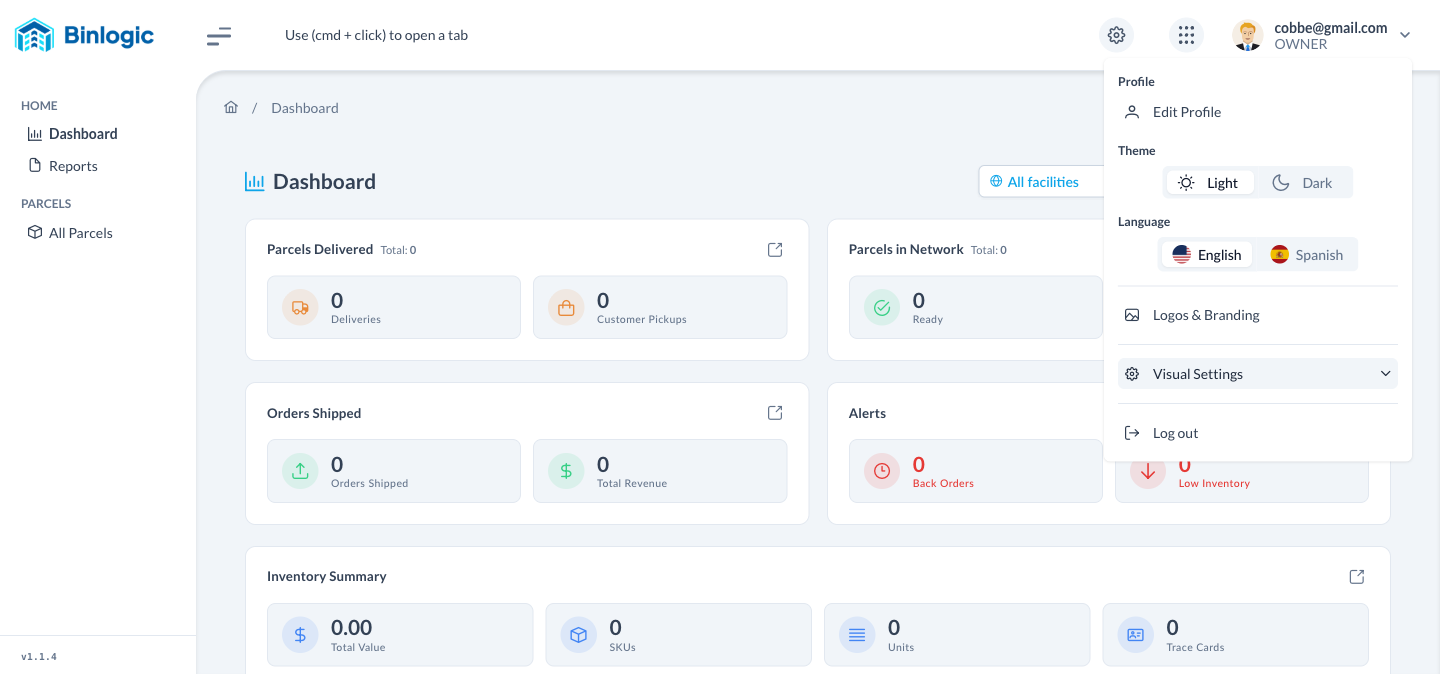
Profile
| Option | Description |
|---|---|
| Edit Profile | Opens a form to update your name, photo, and personal account details |
Theme
Toggle between two display modes:
| Option | Description |
|---|---|
| Light | Light background interface (day mode) |
| Dark | Dark background interface (night mode) |
Changes apply immediately — no save required.
Language
Select the interface language:
| Option | Description |
|---|---|
| 🇺🇸 English | Switches the entire interface to English |
| 🇪🇸 Spanish | Switches the entire interface to Spanish |
Logos & Branding
Quick access to your organization’s logo and visual identity customization section.
Visual Settings
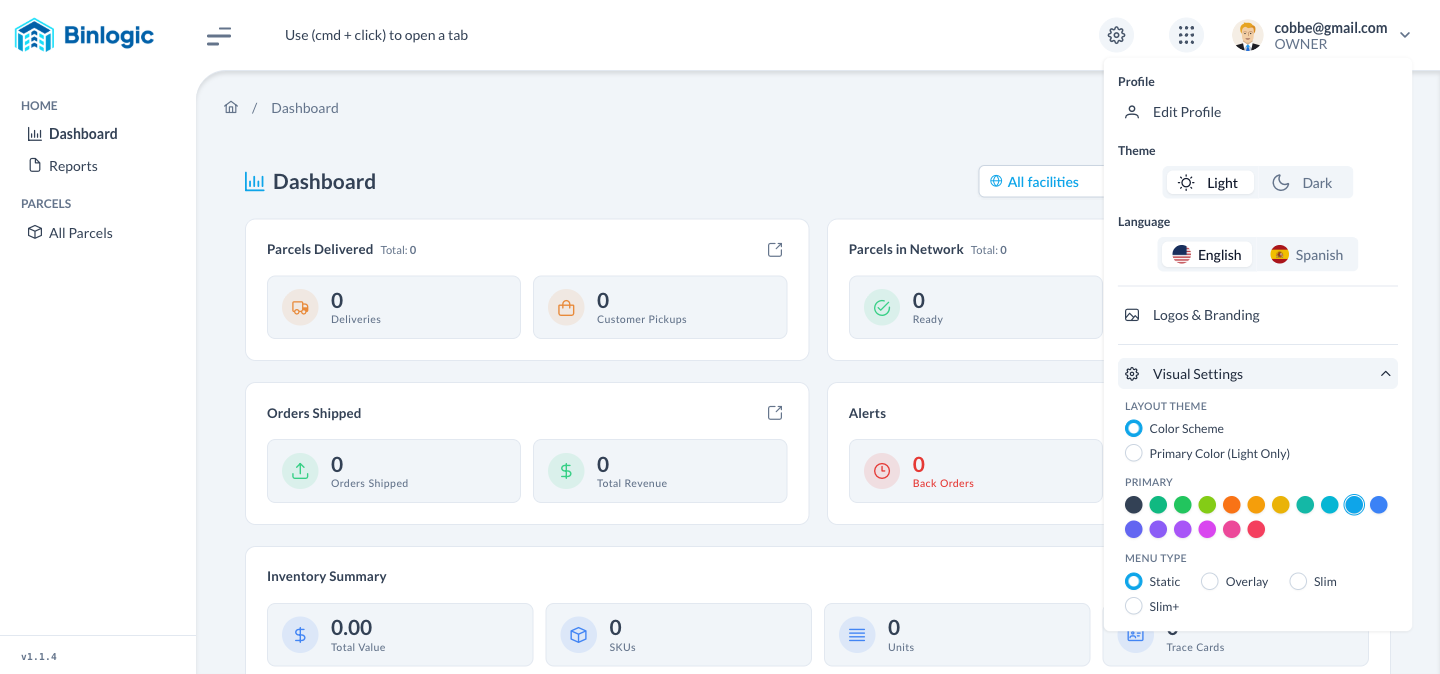
Control advanced interface appearance. Click Visual Settings to expand the section.
Layout Theme
Section titled “Layout Theme”| Option | Description |
|---|---|
| Color Scheme | Applies the full color scheme (light or dark) across the entire UI |
| Primary Color (Light Only) | Allows a custom primary color in Light mode only |
Primary Color
Section titled “Primary Color”Choose the main accent color of the interface from 17 available options:
| Color | Name | Color | Name |
|---|---|---|---|
| ⬛ | Noir | 🩵 | Teal |
| 🟢 | Emerald | 🩵 | Cyan |
| 🟩 | Green | 🔵 | Sky (default) |
| 🟢 | Lime | 🔵 | Blue |
| 🟠 | Orange | 🔵 | Indigo |
| 🟡 | Amber | 🔵 | Violet |
| 🟨 | Yellow | 🟣 | Purple |
| 🟣 | Fuchsia | 🩷 | Pink |
| 🔴 | Rose |
Menu Type
Section titled “Menu Type”Defines the behavior of the sidebar menu:
| Type | Description |
|---|---|
| Static | Sidebar is always visible and fixed (default) |
| Overlay | Menu overlays the content when open |
| Slim | Compact menu showing only icons |
| Slim+ | Slim variant with brief labels on hover |
Presets
Section titled “Presets”Predefined style combinations affecting borders, shadows, and typography:
| Preset | Description |
|---|---|
| Aura | Modern style with soft borders (default) |
| Lara | Clean and minimalist design |
| Nora | Higher contrast style with defined borders |
Surface
Section titled “Surface”Surface color palette for backgrounds and panels:
| Option | Option | Option | Option |
|---|---|---|---|
| Slate (default) | Gray | Zinc | Neutral |
| Stone | Soho | Viva | Ocean |
Log Out
Ends the current session and redirects to the login page.