
















What Is Wave Picking — And When Should Your Warehouse Use It?
Wave picking releases orders to the floor in scheduled groups (waves) instead of one at a time, usually aligned to shipping cutoffs or labor shifts. It smooths workload and coordinates downstream tasks like packing and shipping, but it needs enough order volume and a WMS to plan the waves.
Picture a warehouse that releases every order to the floor the instant it arrives. Mornings are dead, then a marketplace flash sale hits and three hundred orders land in twenty minutes. Pickers scramble, packing backs up, the carrier cutoff looms, and half the team stands idle an hour later. The work was always there. It just arrived in a lump.
Wave picking exists to fix that lump. Instead of reacting to orders one at a time, you release them to the floor in planned groups (waves) timed to your shifts and shipping cutoffs. Here's how it works and when it's worth the effort.
How wave picking works
A wave is a batch of orders released together based on rules you set. A WMS (or a planner) groups orders by some shared trait and sends them to the floor as a coordinated push rather than a trickle.
Common ways to group a wave:
- By carrier cutoff. Everything shipping UPS today goes in a wave that finishes before the UPS truck arrives.
- By priority. Same-day and expedited orders get an early wave; standard orders follow.
- By zone. Orders are grouped so each picking zone gets a manageable, even load.
- By order type. Single-line orders in one wave, multi-line in another, because they pick very differently.
The wave coordinates more than picking. When a wave drops, packing knows what's coming, staging knows how much space it needs, and the shipping team knows which carrier window they're racing. The whole line moves together instead of each station reacting on its own.
Wave vs. batch vs. zone picking
These three get used interchangeably, and they shouldn't be. They answer different questions.
Method | What it does | The question it answers |
|---|---|---|
Batch picking | One picker collects the same SKU for several orders in one trip | How do I cut travel per unit picked? |
Zone picking | Pickers own areas; orders move between zones | How do I cover a large building efficiently? |
Wave picking | Orders are released in scheduled groups | Which orders go to the floor, and when? |
The key insight: wave picking is the scheduling layer that sits on top. It decides when work is released. Batch and zone decide how it gets picked. That's why most real operations combine them — for example, releasing a wave (scheduling) of orders that are then batch-picked by zone (method). They aren't competitors. They stack.
When wave picking makes sense
Wave picking earns its keep under specific conditions. It is not free, so be honest about whether you're there yet.
It pays off when:
- Order volume is high enough that one-at-a-time release creates uneven workload and threatens shipping cutoffs.
- You ship to fixed carrier windows and need work sequenced to hit them.
- Multiple downstream stations — packing, staging, shipping — need to be coordinated rather than each reacting independently.
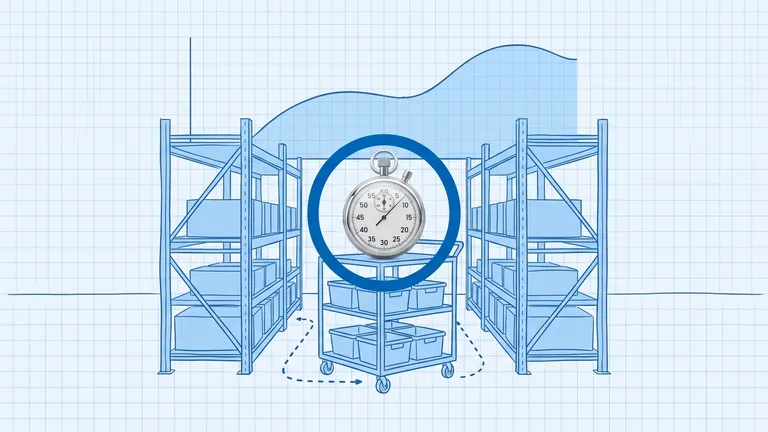
- Labor needs balancing across a shift instead of feast-and-famine swings.
It is overkill when:
- Order volume is low and steady. If you ship forty orders a day at an even pace, scheduling waves adds complexity with little payoff.
- You have one picker and one packer. There's nothing to coordinate.
A small operation forcing itself into wave planning is solving a problem it doesn't have. Grow into it.
What you need to run it
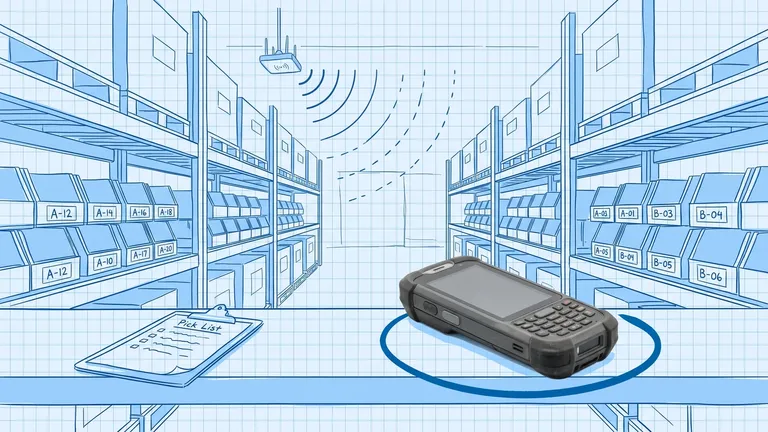
Be realistic: wave picking effectively requires software. Planning waves by hand works at small scale and falls apart fast as volume climbs. A WMS that supports wave planning is where most of the benefit actually comes from, because it can:
- Group orders automatically by carrier, priority, zone, or type
- Release waves on a schedule or when conditions are met
- Balance the load so no single zone or picker gets buried
- Show you how a wave is progressing against its cutoff in real time
You also need a layout and slotting that support it. A wave only flows smoothly if the SKUs it needs are sensibly placed. Wave planning on top of chaotic slotting just schedules the chaos.
The honest trade-off
Wave picking smooths your day, protects your cutoffs, and coordinates the whole line, but it adds planning overhead and a dependency on your WMS doing the grouping well. The benefit scales with volume. At a few hundred orders a day with tight carrier windows, it's close to essential. At forty steady orders a day, it's a solution looking for a problem.
Match the method to the moment. When release timing starts costing you missed cutoffs and idle pickers, that's the signal you've grown into wave picking.
Frequently asked questions
What's the difference between wave, batch, and zone picking?
Batch picking groups multiple orders so a picker collects the same SKU for several orders in one trip. Zone picking assigns pickers to areas and passes orders between zones. Wave picking is the scheduling layer on top: it decides which orders get released and when. Many warehouses combine waves with batch or zone methods.
When does wave picking make sense?
When you have enough daily order volume that releasing orders one by one creates uneven workload and missed shipping cutoffs. It also helps when picking, packing, and carrier pickups need to be coordinated to a schedule. Very low-volume operations usually don't need it.
Do I need software for wave picking?
Effectively, yes. Planning waves by hand is possible at small scale but breaks down quickly. A WMS that supports wave planning groups orders by criteria like carrier, priority, or zone and releases them automatically, which is where most of the benefit comes from.
Plan the route. We deliver the rest.
See how Binlogic powers last-mile logistics — routing, tracking, and the platform that turns the plan into the package on the doorstep.
Book a callback